Video editing is more demanding than ever. High-resolution footage, fast rendering, and large project files need storage that can keep up. If you’re a video editor in 2026, choosing the best portable SSD is more than just a convenience—it’s vital for your workflow. Whether you’re a freelancer, a YouTuber, a gamer streaming content, or a small business owner, the right portable SSD can save you hours and protect your work. This article covers everything you need to know, from performance specs and real-world usability to pricing, product comparisons, and practical buying tips.
Editing video is not like working with documents or simple images. Video files are big, often several gigabytes for just a few minutes of footage. When you edit, your software reads and writes these files constantly. If your storage is slow, you get delays, stuttering, and even crashes.
Portable SSDs offer:
Today’s portable SSDs use USB-C, Thunderbolt 4, and even wireless connections, making them a flexible solution for almost any device—laptops, desktops, tablets, and even some smartphones.
Before buying, understand these features. They can make or break your editing experience.
Speed is the most important factor. You need fast transfer rates for smooth playback and quick project saves.
Some SSDs advertise high speeds but only deliver them under certain conditions. Always check real-world benchmarks.
Video projects can be huge. Choose based on your needs:
Look for SSDs with:
Durable drives last longer and protect your data from accidents.
Most SSDs use USB-C. Some support Thunderbolt 4 for extra speed. Make sure your device supports the same port.
Some drives offer hardware encryption. If you work with sensitive content, choose SSDs with built-in security features.
Portable SSDs range from $70 for basic 500GB models to $400+ for high-end, 2TB Thunderbolt drives. Balance cost with performance and capacity.
After testing and research, here are the ten best options—each with unique strengths.
Let’s dive into each model, with specs, pros and cons, and practical insights.
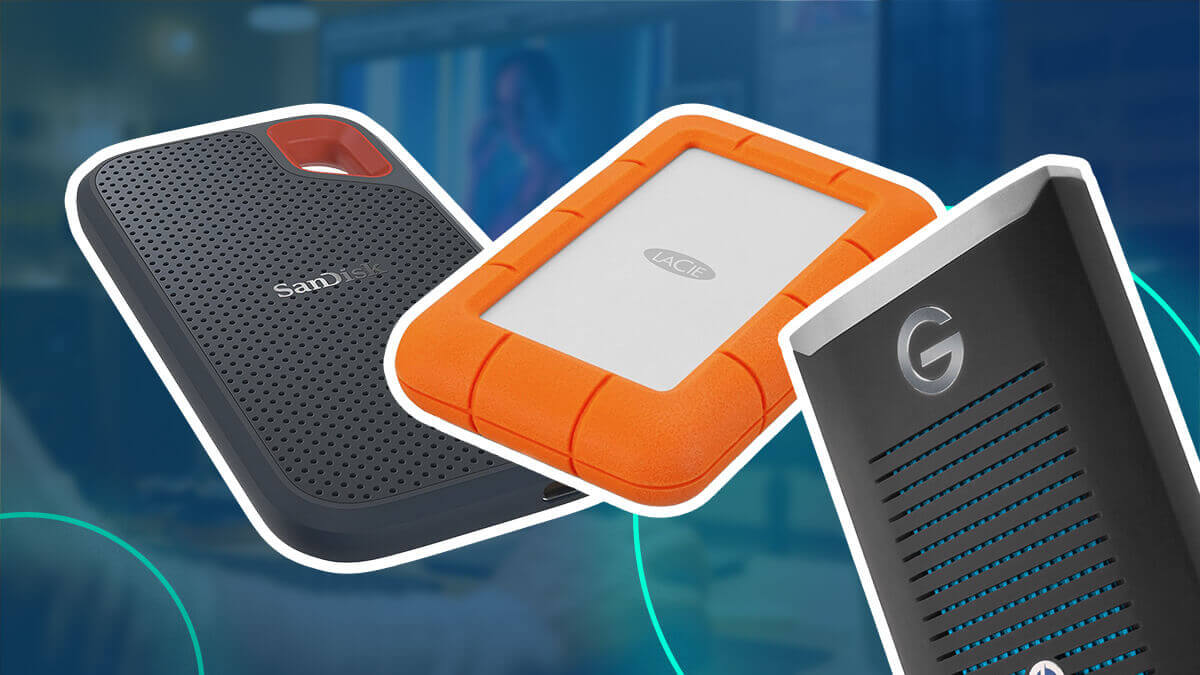
The Samsung T9 is a favorite for editors. It offers top speeds, excellent reliability, and a sleek design.
Pros:
Cons:
Pricing: Around $180 for 1TB; $340 for 2TB
Designed for professionals, the PRO-G40 combines speed and ruggedness.
Pros:
Cons:
Pricing: Around $250 for 1TB; $420 for 2TB
The Crucial X10 Pro offers excellent value and solid performance.
Pros:
Cons:
Pricing: Around $120 for 1TB; $220 for 2TB
A reliable choice, the My Passport SSD is popular for its balance of price and performance.
Pros:
Cons:
Pricing: Around $110 for 1TB; $210 for 2TB
The Seagate Fast SSD combines speed with simplicity.
Pros:
Cons:
Pricing: Around $100 for 1TB; $180 for 2TB
Known for its RGB lighting, the ADATA SE900G stands out visually and performs well.
Pros:
Cons:
Pricing: Around $130 for 1TB; $240 for 2TB
The LaCie Rugged SSD Pro is built for tough environments.
Pros:
Cons:
Pricing: Around $300 for 1TB; $500 for 2TB
The Kingston XS2000 is compact and fast, perfect for travel.
Pros:
Cons:
Pricing: Around $110 for 1TB; $210 for 2TB
The Sabrent Rocket XTRM-Q is a high-end SSD for demanding users.
Pros:
Cons:
Pricing: Around $400 for 2TB; $750 for 4TB
The Transcend ESD380C is a good mid-range option.
Pros:
Cons:
Pricing: Around $100 for 1TB; $180 for 2TB
To help you compare, here’s a summary of the main specs and features.
| Model | Max Speed (MB/s) | Capacity Options | Interface | Durability | Price (1TB) |
|---|---|---|---|---|---|
| Samsung T9 | 2,000 | 1TB–4TB | USB 3.2 Gen 2×2 | Shock-resistant | $180 |
| SanDisk PRO-G40 | 2,700 | 1TB–4TB | Thunderbolt 4/USB-C | IP68 | $250 |
| Crucial X10 Pro | 2,100 | 500GB–2TB | USB-C | Basic | $120 |
| WD My Passport | 1,050 | 500GB–4TB | USB-C | Basic | $110 |
| Seagate Fast SSD | 1,050 | 500GB–2TB | USB-C | Basic | $100 |
| ADATA SE900G | 2,000 | 1TB–2TB | USB-C | Basic | $130 |
| LaCie Rugged Pro | 2,800 | 1TB–2TB | Thunderbolt 4/USB-C | Rugged | $300 |
| Kingston XS2000 | 2,000 | 500GB–4TB | USB-C | Basic | $110 |
| Sabrent XTRM-Q | 2,700 | 2TB–8TB | Thunderbolt 4/USB-C | Basic | $400 |
| Transcend ESD380C | 1,050 | 500GB–2TB | USB-C | Basic | $100 |

Credit: www.kingspectech.com
Numbers on boxes can be misleading. Actual performance depends on your editing software, file sizes, and computer. Here’s how these drives perform in typical video editing scenarios.
When editing 4K footage, you need sustained read speeds above 800 MB/s. All SSDs above meet this requirement, but Thunderbolt models like the SanDisk PRO-G40 and LaCie Rugged Pro offer smoother playback, especially with multiple streams or effects.
Transferring a 10GB video file:
Editing on slower SSDs means longer wait times for project load/save.
If you edit while transferring files or rendering, SSDs with higher speeds and Thunderbolt support prevent bottlenecks. For example, the Sabrent XTRM-Q handles heavy workloads without slowing down.
Every editor’s needs are different. Here’s how to pick the right SSD for you.

Credit: www.kingspectech.com
Portable SSDs are not perfect for everyone. Here’s a balanced view.
Pros:
Cons:
Portable SSD prices vary by speed, capacity, and brand. Here’s a quick look:
Thunderbolt SSDs are more expensive. Basic USB-C models offer the best value for casual editors. Always check for sales—prices can drop during tech events.
Some still use HDDs for storage. Here’s why SSDs are better for editing.
| Feature | Portable SSD | Portable HDD |
|---|---|---|
| Speed | Up to 2,800 MB/s | Up to 140 MB/s |
| Durability | Shock, water, dust resistant | Fragile, moving parts |
| Portability | Lightweight, small | Heavier, larger |
| Lifespan | 5–7 years typical | 3–5 years typical |
| Price (1TB) | $100–$250 | $50–$90 |
SSDs cost more, but the speed and reliability are worth it, especially for video work.
To maximize lifespan:
Trusted brands offer better support and warranties. Most SSDs come with 3–5 year warranties. If you’re editing for business, choose brands with good customer service.
Top brands include:
For more on SSD technology, visit Wikipedia.
The SanDisk Professional PRO-G40 is the top choice for 4K editing, thanks to Thunderbolt 4 speeds and rugged build. The LaCie Rugged SSD Pro is also excellent for outdoor work.
Most editors need at least 1TB. For bigger projects, multiple clients, or RAW footage, choose 2TB or more. Remember, SSDs perform best with some free space.
If you edit high-resolution video or work with large files, Thunderbolt SSDs deliver top speeds and smoother performance. For basic editing, USB-C SSDs are usually enough.
Yes, most portable SSDs work with both systems. Some may need reformatting. Thunderbolt SSDs are great for Mac users, but USB-C models are universal.
Keep your SSD away from moisture, extreme heat, and magnets. Use the supplied cable. Backup your files regularly. Check for firmware updates for stability and performance.
Choosing the best portable SSD for video editing in 2026 can transform your workflow. Consider your needs, check the specs, and don’t forget real-world factors like durability and security. With the right SSD, you’ll save time, protect your work, and enjoy editing anywhere—whether you’re in a studio or on the move.
Credit: www.afvt.org
