

Graphic design is everywhere—on websites, social media, packaging, ads, and even street signs. The software you use can shape your creative work, whether you’re a beginner, a student, or a professional. Choosing the best graphic design software matters, and with so many choices today, it can feel overwhelming. Some tools are perfect for digital illustration, others for photo editing, and some make branding or web graphics easy. Knowing which software fits your needs will save you time, money, and a lot of stress.
In this in-depth guide, you’ll discover the leading graphic design programs, their strengths, weaknesses, and how they compare. You’ll learn which ones are best for beginners, which excel in professional environments, and how pricing works. We’ll also look at real-world examples and answer common questions, so you can make a confident decision for your creative journey.
What Makes Great Graphic Design Software?
Before you dive into the list, it helps to understand what sets great graphic design software apart. Here are the most important features:
- Ease of use: Can you learn quickly? Is the interface clean?
- Features: Does it support illustration, photo editing, typography, and layout?
- Compatibility: Is it available on Windows, Mac, or even mobile devices?
- File support: Does it handle popular formats like PSD, AI, SVG, and PDF?
- Collaboration: Can you work with others or share files easily?
- Price: Does it fit your budget, and is it a good value?
Some software focuses on one area, like photo editing, while others try to be all-in-one solutions. The best choice often depends on your goals and experience.
Comparing The Top Graphic Design Software
Below is a detailed comparison of the best graphic design software. This table covers key features, platforms, and pricing to help you find the right tool for your needs.
| Software | Main Focus | Platforms | Pricing | Best For |
|---|---|---|---|---|
| Adobe Photoshop | Photo Editing, Digital Art | Windows, Mac | $20.99/mo | Professionals, Photographers |
| Adobe Illustrator | Vector Graphics, Logos | Windows, Mac | $20.99/mo | Logo Designers, Illustrators |
| CorelDRAW | Vector Design, Layout | Windows, Mac | $22.42/mo or $299/yr | Print Designers |
| Affinity Designer | Vector & Raster Design | Windows, Mac, iPad | $69.99 one-time | Cost-Conscious Pros |
| Canva | Web Graphics, Social Media | Web, iOS, Android | Free, Pro $12.99/mo | Beginners, Marketers |
| GIMP | Photo Editing, Open Source | Windows, Mac, Linux | Free | Hobbyists, Students |
| Figma | UI/UX, Collaboration | Web, Windows, Mac | Free, Pro $12/mo | Teams, App Designers |
| Sketch | UI Design, Prototyping | Mac | $9/mo or $99/yr | Mac UI Designers |
| Inkscape | Vector Design, Open Source | Windows, Mac, Linux | Free | Budget Users |
| Procreate | Digital Illustration | iPad | $12.99 one-time | Artists, Illustrators |
Adobe Photoshop
Adobe Photoshop is the industry leader for photo editing and digital art. It has been used by professionals for decades to create everything from magazine covers to websites and complex illustrations.
Key Features
- Layer-based editing for detailed control
- Advanced retouching and restoration tools
- Text effects and smart objects
- AI-powered features like sky replacement and object selection
- Supports most file formats (PSD, JPG, PNG, TIFF, etc.)
Pros
- Deep set of features for both beginners and experts
- Extensive plugin ecosystem
- Regular updates with new features
- Strong community and online tutorials
Cons
- Subscription-based pricing can be expensive long-term
- Steep learning curve for new users
- Requires a powerful computer for best performance
Pricing
Photoshop costs $20.99/month as part of Adobe’s Creative Cloud. There are bundle options with other Adobe apps for a higher fee.
Real-world Use Cases
- Photographers use Photoshop for color correction, removing unwanted objects, and retouching.
- Digital artists create concept art, matte paintings, and illustrations.
- Marketers design banners, ads, and social media posts.
Expert Insight
Many beginners try to use Photoshop for logo design, but vector-based tools like Illustrator are better suited for that. Photoshop is best for raster images and photo-based work.
Adobe Illustrator
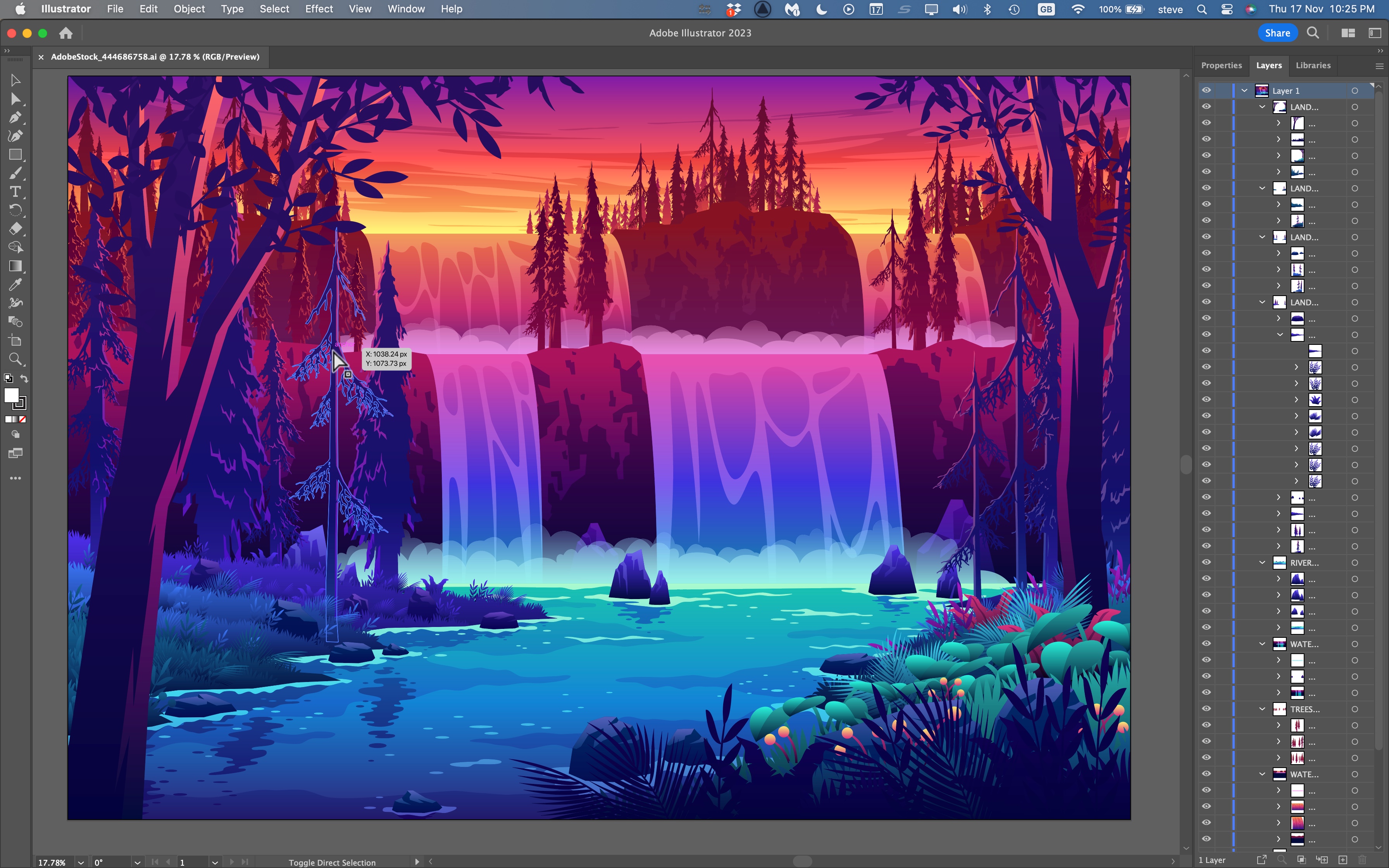
Adobe Illustrator is the standard for vector graphic design. Vectors are images made from lines and shapes, so they don’t lose quality when you resize them.
Key Features
- Precision drawing tools for logos, icons, and illustrations
- Artboards for working on multiple projects at once
- Custom brushes and effects
- Integration with other Adobe apps
Pros
- Perfect for logo and branding design
- Scalable graphics—no loss of quality
- Excellent typography tools
- Well-documented and widely adopted in the industry
Cons
- Also subscription-based at $20.99/month
- Can feel overwhelming for beginners
- Complex vector features may be more than casual users need
Pricing
Same as Photoshop, $20. 99/month. Part of the Adobe Creative Cloud.
Real-world Use Cases
- Logo designers use Illustrator for crisp, scalable logos.
- Branding agencies create brand assets like business cards and icons.
- Web designers develop SVG graphics for websites.
Non-obvious Tip
Many users don’t realize Illustrator can export directly to SVG for web use, making it easier to create responsive graphics.

Credit: www.youtube.com
Coreldraw
CorelDRAW has a strong reputation in print design and vector illustration, especially in industries like sign-making and packaging.
Key Features
- Vector illustration and page layout tools
- Font management and color harmonies
- PowerTRACE for turning bitmaps into vectors
- Support for multi-page documents
Pros
- Excellent for print projects and complex layouts
- One-time purchase or subscription options
- Strong file format compatibility
- Fast and efficient interface
Cons
- Fewer online tutorials than Adobe products
- Mac version is newer and may lack some features
- Interface feels dated to some users
Pricing
$22.42/month or $299/year, with perpetual licenses sometimes available.
Real-world Use Cases
- Packaging designers create product labels and boxes.
- Sign-makers design large-scale banners and posters.
Common Mistake
Many beginners use raster images in CorelDRAW by accident, leading to blurry prints. Always use vectors for print work.
Affinity Designer
Affinity Designer is a favorite for those who want professional features without a subscription. It offers both vector and raster design in one package.
Key Features
- Vector and raster workspaces
- Real-time blending and effects
- Unlimited artboards
- Fast performance, even with large files
Pros
- One-time purchase, no monthly fees
- Smooth on both Mac, Windows, and iPad
- Excellent performance and stability
- Regular updates
Cons
- Smaller user community than Adobe
- Lacks some advanced features like scripting
- Not as integrated with other creative apps
Pricing
$69.99 for a perpetual license. Updates often included.
Real-world Use Cases
- Freelancers create client logos, illustrations, and web graphics.
- Small businesses design marketing materials.
Non-obvious Insight
Affinity Designer can open and export Adobe Illustrator files (AI), making it easier to switch or collaborate with Adobe users.
Canva
Canva is a web-based tool that brings graphic design to everyone. It’s popular among marketers, small businesses, and non-designers.
Key Features
- Drag-and-drop interface
- Huge library of templates and stock photos
- Team collaboration tools
- Animation and video support
Pros
- Very easy to learn and use
- Works in any web browser, plus mobile apps
- Free plan is generous
- Great for quick social media or marketing graphics
Cons
- Limited for professional or complex design work
- Exports are sometimes lower quality
- Less control over fine details
Pricing
Free basic plan. Pro plan is $12.99/month with extra templates and features.
Real-world Use Cases
- Small business owners create flyers and posts without hiring a designer.
- Content creators design YouTube thumbnails or Instagram stories.
Pro Tip
Canva’s “Brand Kit” lets you store colors, logos, and fonts for consistent branding—a feature many beginners overlook.
Gimp
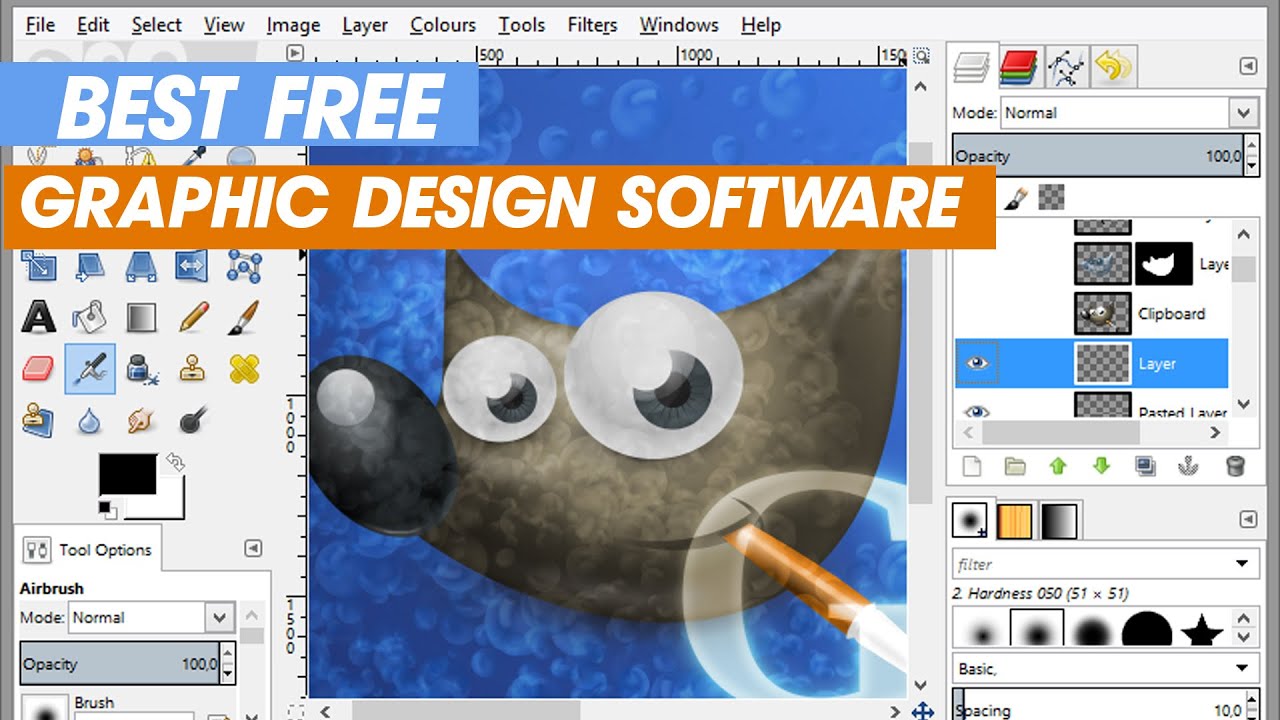
GIMP (GNU Image Manipulation Program) is a free, open-source alternative to Photoshop. It’s popular among students, hobbyists, and those on a budget.
Key Features
- Layer-based editing
- Custom brushes and filters
- Supports many file formats
- Large library of free plugins
Pros
- Completely free with no paid upgrades
- Active open-source community
- Can be customized with scripts and plugins
Cons
- Interface feels less polished than commercial software
- Some advanced features require plugins
- Fewer learning resources
Pricing
Free to download and use on Windows, Mac, and Linux.
Real-world Use Cases
- Students edit photos for school projects.
- Bloggers create web graphics or edit images.
Insider Note
GIMP can open Photoshop PSD files, but some layer effects may not transfer perfectly.
Figma
Figma is a cloud-based design tool focused on UI/UX and team collaboration. It’s widely used in the tech industry for app and web design.
Key Features
- Real-time team collaboration
- Vector editing and prototyping
- Commenting and version history
- Works in any browser
Pros
- Perfect for remote teams
- Auto-save and cloud storage
- Easy to share prototypes with clients
Cons
- Requires an internet connection
- Not ideal for print or illustration work
- Some features locked behind paid plans
Pricing
Free for individuals. Pro plan is $12/month per editor.
Real-world Use Cases
- UX designers build interactive prototypes for apps.
- Agencies collaborate on website designs with clients.
Pro Insight
Figma’s plugins can automate repetitive tasks, like exporting assets for developers.
Sketch
Sketch is a Mac-only tool known for its UI and web design capabilities. It’s a favorite among app designers and startups.
Key Features
- Vector editing with smart layout tools
- Symbols and reusable design elements
- Export to many web formats
- Plugin support
Pros
- Optimized for macOS, fast and smooth
- Great for wireframing and prototyping
- Strong community with many plugins
Cons
- Mac only—no Windows version
- Some features require third-party plugins
- Cloud collaboration costs extra
Pricing
$9/month or $99/year per user.
Real-world Use Cases
- Startups design app interfaces.
- Web agencies create high-fidelity website mockups.
Non-obvious Insight
Sketch’s “Symbols” feature lets you update all instances of a button or icon instantly, saving lots of time in large projects.
Inkscape
Inkscape is a free, open-source vector graphics editor, similar to Adobe Illustrator. It’s popular with budget-conscious designers.
Key Features
- Full-featured vector drawing tools
- SVG file support
- Node editing and path operations
- Extensions for extra features
Pros
- Completely free to use
- Good for creating scalable graphics
- Active community and frequent updates
Cons
- User interface can feel basic or dated
- Slower performance on large files
- Limited advanced typography features
Pricing
Free on Windows, Mac, and Linux.
Real-world Use Cases
- Non-profits create posters and flyers.
- DIY enthusiasts design stickers or T-shirt prints.
Common Mistake
Many users forget to export to the correct format for print or web. Always check your final file type.
Procreate
Procreate is a digital illustration app for iPad. It’s popular among artists, illustrators, and anyone who loves to draw by hand.
Key Features
- Realistic brushes and pens
- Pressure sensitivity with Apple Pencil
- Time-lapse recording of artwork
- Fast, smooth performance
Pros
- One-time purchase, no subscription
- Intuitive touch controls
- Huge brush library, including user-made brushes
Cons
- IPad only—no desktop version
- Lacks some advanced typography tools
- Not ideal for print-ready vector graphics
Pricing
$12.99 one-time purchase on the App Store.
Real-world Use Cases
- Comic artists draw and color their pages.
- Animators sketch frame-by-frame animations.
Non-obvious Insight
Procreate’s time-lapse feature can automatically create process videos, which are great for social media marketing.
Detailed Feature Comparison
To help you see how these tools compare side by side, here’s a table focusing on major features.
| Software | Vector Support | Photo Editing | Templates | Team Collaboration | Mobile App |
|---|---|---|---|---|---|
| Photoshop | No | Yes | Limited | Limited | Yes (iPad) |
| Illustrator | Yes | No | Limited | Limited | Yes (iPad) |
| CorelDRAW | Yes | Some | Yes | No | No |
| Affinity Designer | Yes | Yes | No | No | Yes |
| Canva | Limited | Limited | Yes | Yes | Yes |
| GIMP | No | Yes | No | No | No |
| Figma | Yes | No | Some | Yes | Yes (Browser) |
| Sketch | Yes | No | Some | Yes | No |
| Inkscape | Yes | No | No | No | No |
| Procreate | No | No | No | No | Yes (iPad) |
Pricing Overview And Value For Money
Let’s break down the cost of each software to help you plan your budget.
Monthly Or Annual Subscriptions
- Adobe Photoshop: $20.99/month
- Adobe Illustrator: $20.99/month
- CorelDRAW: $22.42/month or $299/year
- Canva Pro: $12.99/month
- Figma Pro: $12/month per editor
- Sketch: $9/month or $99/year
One-time Purchases
- Affinity Designer: $69.99 (perpetual)
- Procreate: $12.99 (perpetual)
Free/open Source
- GIMP: Free
- Inkscape: Free
Choosing Wisely
- If you need industry-standard tools for a creative career, Adobe products are often worth the investment.
- For occasional or personal projects, Affinity Designer, GIMP, or Canva may be more affordable.
- Teams working on apps or websites often prefer Figma or Sketch for their collaborative features.

Credit: www.techradar.com
Real-world Use Cases: Which Software For Which Job?
- Logo Design: Illustrator, Affinity Designer, Inkscape
- Photo Editing: Photoshop, GIMP, Affinity Designer
- Social Media Graphics: Canva, Photoshop, Affinity Designer
- App & Web Design: Figma, Sketch, Adobe XD (not covered here)
- Print Design: CorelDRAW, Illustrator, Affinity Designer
- Digital Illustration: Procreate, Photoshop, Affinity Designer
For example, a freelance designer might use Photoshop for retouching client photos, Illustrator for logos, and Canva for quick Instagram posts. A startup may rely on Figma or Sketch for rapid prototyping and team feedback.
Expert Recommendations: Which Graphic Design Software Should You Choose?
With so many options, it’s important to match the tool to your needs:
- Beginners: Try Canva or GIMP. They’re easy to start and free or low-cost.
- Students: GIMP or Inkscape for free, Affinity Designer for a low one-time fee.
- Professionals: Photoshop and Illustrator remain the gold standard. Affinity Designer is a great alternative for pros who want to avoid subscriptions.
- UI/UX Designers: Figma (best for teams), Sketch (best for Mac users).
- Artists/Illustrators: Procreate (iPad), Photoshop (desktop), Affinity Designer (all platforms).
- Print Designers: CorelDRAW or Illustrator.
Non-Obvious Insight: Many professionals use two or three tools together. For example, you might sketch in Procreate, refine in Affinity Designer, and export assets in Photoshop.
Frequently Asked Questions
What Is The Best Free Graphic Design Software For Beginners?
GIMP and Inkscape are the top free choices. GIMP is better for photo editing, while Inkscape is ideal for vector graphics like logos. Both have active communities and tutorials, so you can learn at your own pace.
Can I Use Graphic Design Software On A Tablet Or Mobile Device?
Yes. Canva, Procreate, Affinity Designer, and even Photoshop have mobile or iPad versions. Procreate is especially popular for iPad users who want to draw by hand.
What’s The Difference Between Vector And Raster Graphics?
Vector graphics use lines and shapes, so they stay sharp at any size (good for logos). Raster graphics are made from pixels, so enlarging them can make them blurry (good for photos). Choose your software based on the type of graphic you need.
Is Subscription Software Worth It, Or Should I Buy A One-time License?
It depends on your needs. Subscriptions (like Adobe) offer regular updates and cloud features, but can be expensive. One-time licenses (like Affinity Designer or Procreate) are cheaper in the long run, but may lack some advanced features.
Which Software Is Best For Team Collaboration?
Figma leads in real-time team collaboration, letting multiple users work on the same file at once. Canva and Sketch also offer good team features, but Figma is the top choice for remote or distributed teams.

Credit: flexisourceit.com.au
Finding Your Perfect Graphic Design Software
Choosing the best graphic design software is about matching your needs, skills, and budget. For most professionals, Adobe Photoshop and Illustrator still set the standard, but smart, modern alternatives like Affinity Designer, Figma, and Procreate are changing the industry. Free tools like GIMP and Inkscape open doors for beginners and hobbyists, while web-based solutions like Canva make design accessible to everyone.
Don’t be afraid to try a few options before making your final choice. Many programs offer free trials or free versions, so you can test what feels best for your workflow. Remember, the right software can help you create stunning designs, impress clients, and enjoy your creative work even more.
For more details on specific features and user reviews, check the official websites or resources like Wikipedia.
Ready to level up your design skills? Pick your favorite tool from this list and start creating today!