Whether you’re a university student, a high school learner, or a professional returning to education, finding the best budget tablet for students and note taking is a smart move. Today’s tablets can replace heavy books, messy notebooks, and even laptops for many school tasks. They’re portable, fast, and make digital note-taking easy. But with so many choices and price points, it’s easy to feel lost. Not every affordable tablet is good for real study needs—especially if you want smooth handwriting, good battery life, and a screen that won’t hurt your eyes.
This guide will help you pick the right tablet for your budget and your needs. We’ll look at the most popular options, compare features, and answer common questions. You’ll also find practical advice, real-world examples, and two comparison tables to help you decide what’s best for your schoolwork and note-taking style.
Tablets have changed the way students learn and organize their work. Here’s why they are a great investment, especially for those who want to take notes efficiently.
Many students also find that digital notes are easier to organize. You can search handwriting, add images or voice recordings, and even share notes with friends easily.
You might think price is the only thing that matters. But a true “budget” tablet should offer good value, not just a low price. Here are the key things to look for:
Let’s look at the top performers in the budget segment. Each tablet listed here balances price, features, and real-world student needs. Prices may change, so check before buying.
The iPad 9th Gen is a favorite for students worldwide. It’s affordable for an Apple device and offers a smooth, reliable experience.
Pros:
Cons:
Why it stands out:
The iPad has the best app support for students and is still a good value. Even older generations get software updates for years.
Samsung’s S6 Lite is a strong Android choice. It includes the S Pen stylus at no extra charge.
Pros:
Cons:
Why it stands out:
Great value for stylus users. The S Pen is accurate and comfortable for handwriting.
Lenovo offers affordable devices with solid build quality. The P11 Plus is a great mid-range option for students.
Pros:
Cons:
Why it stands out:
A good choice for students wanting a larger screen on a budget.
If you want a Windows device, the Surface Go 3 is the best affordable option for students.
Pros:
Cons:
Why it stands out:
Perfect for students who need Windows software but still want portability.
For those with a tight budget, the Fire HD 10 is the cheapest tablet worth considering. It’s not as advanced as the others, but it can handle basic note-taking and reading.
Pros:
Cons:
Why it stands out:
Best for reading, light note-taking, and media use on a tight budget.
To help you compare these options side by side, here is a summary table:
| Tablet | Screen Size | Stylus Support | Battery Life | Price (Approx.) |
|---|---|---|---|---|
| Apple iPad 9th Gen | 10.2″ | Apple Pencil 1st Gen (sold separately) | 10 hours | $329+ |
| Galaxy Tab S6 Lite | 10.4″ | S Pen (included) | 12 hours | $249+ |
| Lenovo Tab P11 Plus | 11″ | Precision Pen 2 (sold separately) | 12 hours | $229+ |
| Surface Go 3 | 10.5″ | Surface Pen (sold separately) | 11 hours | $399+ |
| Fire HD 10 | 10.1″ | 3rd party stylus only | 12 hours | $149+ |
Choosing between iPadOS, Android, and Windows can feel overwhelming. Each platform has strengths and weaknesses for student use.
Key insight: If you already use a phone or laptop with one platform (like Android or Apple), it’s usually easier to stay in the same ecosystem. Sharing files, apps, and settings is simpler.
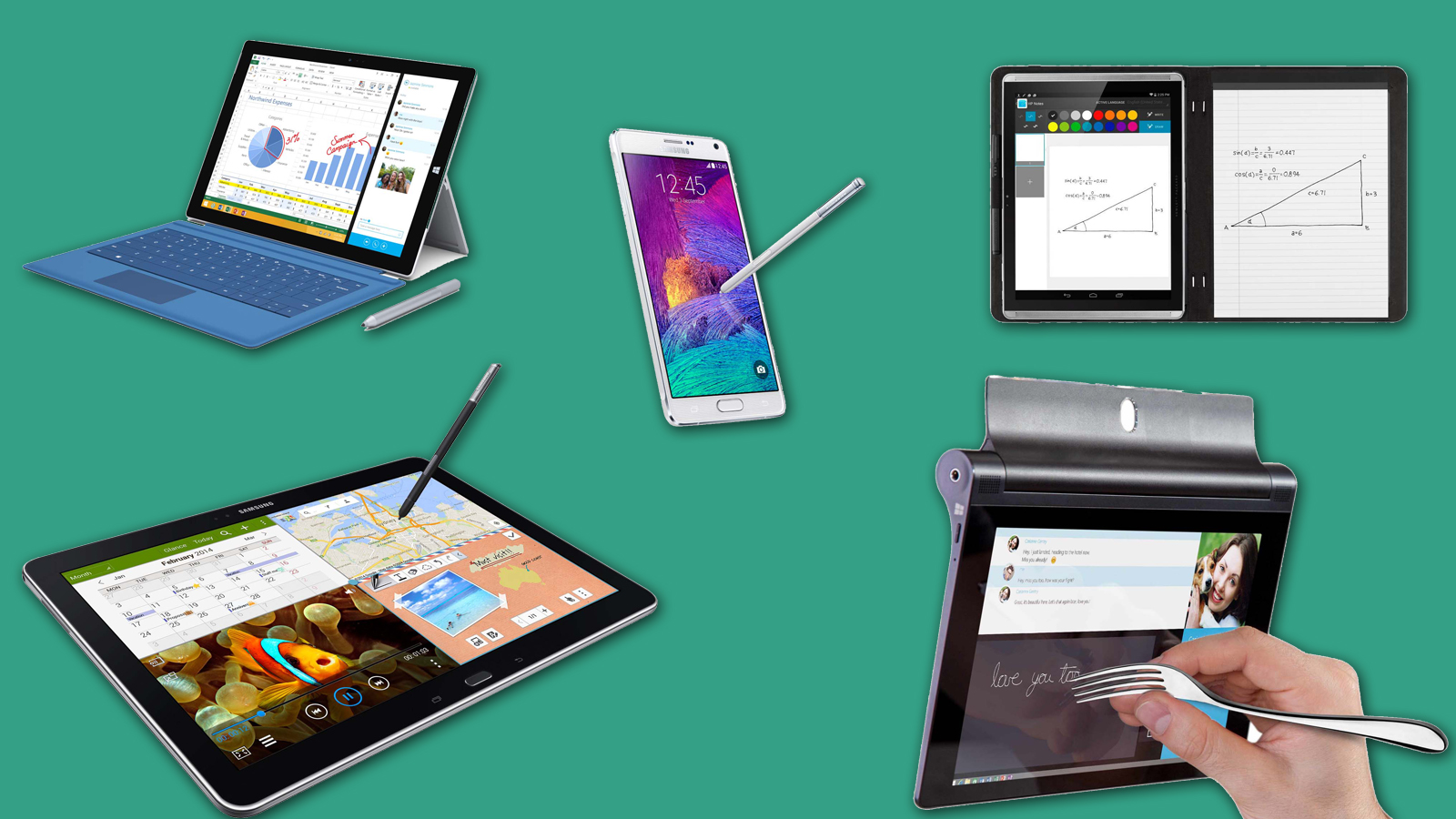
A tablet for note taking without a good stylus isn’t much better than a regular notebook. The best digital pens feel fast, accurate, and comfortable. Here’s what to consider:
Apple Pencil (1st/2nd Gen), Samsung S Pen, and Microsoft Surface Pen are the leaders here. Third-party styluses often feel less natural and can be frustrating for detailed note-taking.
Non-obvious insight: Not all apps support all stylus features. For example, the Apple Pencil works best with Apple’s own Notes and Notability, while the S Pen is deeply integrated into Samsung Notes.
The right app can make a big difference. Here are top choices for each platform:
Many of these apps sync with the cloud, so you can access your notes on other devices. Some offer voice recording, math equation support, or even export to PDF/Word.
Pro tip: Try a few apps before choosing your main one. Some are better for typing, others for handwriting or sketching.
Let’s see how students actually use tablets for school.
Example: A nursing student uses the Galaxy Tab S6 Lite with S Pen to draw anatomy diagrams in Samsung Notes during lectures, then syncs her notes to OneDrive for easy access on her laptop.
Common mistake: Buying a tablet with no stylus or poor pen support, then struggling to write or draw naturally.

Credit: techbezon.com
While the tablet’s price is the main cost, don’t forget about extras:
Example: The iPad 9th Gen starts at $329, but a 1st Gen Apple Pencil adds $99, and a basic case adds $20. The Galaxy Tab S6 Lite includes the S Pen, so the true cost is lower for stylus users.
Here’s a sample cost breakdown for popular tablets:
| Tablet | Base Price | Stylus Price | Case Price | Total Cost |
|---|---|---|---|---|
| Apple iPad 9th Gen | $329 | $99 (Apple Pencil) | $20 | $448 |
| Galaxy Tab S6 Lite | $249 | Included | $20 | $269 |
| Lenovo Tab P11 Plus | $229 | $40 (Precision Pen 2) | $20 | $289 |
| Surface Go 3 | $399 | $99 (Surface Pen) | $30 | $528 |
| Fire HD 10 | $149 | $15 (3rd party stylus) | $15 | $179 |
Key insight: Some “cheap” tablets become expensive after adding the stylus and accessories. Always calculate the total cost before buying.
Let’s break down the main advantages and drawbacks.
Real-world advice: If you type a lot, consider buying a tablet with a keyboard or a cheap Bluetooth keyboard.
Credit: www.techradar.com
A common worry is that budget tablets will be too slow or frustrating. Here’s what you can expect:
Non-obvious insight: Many slowdowns happen because of too many background apps or low storage. Keep your tablet clean for best speed.
Pro tip: Always read recent reviews and check for student discounts before buying.
Every student is unique. Here are recommendations based on common needs:
To find your best budget tablet for students and note taking, follow these steps:
Example: A college student who already uses an Android phone, needs to take handwritten notes, and wants to spend under $300, will find the Galaxy Tab S6 Lite the best fit.
Yes, buying refurbished or certified pre-owned tablets can save money. Apple, Samsung, and Microsoft all sell official refurbished models with warranties. You can often get last year’s model for 20–30% less.
Important: Always buy from a trusted seller with a return policy.
A few extras can improve your tablet experience:
Practical tip: Don’t buy expensive accessories you won’t use. Start with the basics and add more if you need them.
Tablets use less paper and ink, which helps the environment. But they also create e-waste. Choose a tablet that gets software updates for years, and recycle old devices responsibly.
For more info on e-waste and recycling, see the US EPA’s Electronics Recycling page.
The Apple iPad 9th Gen is the best all-around tablet for most students. It offers a sharp display, fast performance, excellent battery life, and the widest choice of note-taking apps. While the Apple Pencil is extra, the overall experience is reliable and future-proof.
For basic schoolwork, yes. Tablets like the iPad, Galaxy Tab S6 Lite, and Surface Go 3 can replace a laptop for note-taking, reading, web browsing, and video calls. If you need to run heavy software (like programming tools or advanced Excel), a laptop is still better.
It depends on your tablet. The S Pen comes with Samsung tablets, but for iPad and Surface you must buy the official stylus for the best experience. Third-party pens often lack pressure sensitivity and palm rejection.
For most students, 64GB is enough for notes, books, and a few apps. If you store lots of videos, music, or offline textbooks, choose 128GB or higher. Many Android tablets also support microSD cards for easy upgrades.
It depends on your platform. Notability and GoodNotes are favorites on iPad, while Samsung Notes and OneNote are top choices for Android and Windows. Try a few to see which feels best for your style.
—
Choosing the right tablet can make school life smoother, more organized, and even a little more fun. Focus on your real needs, not just the lowest price. A good budget tablet for students and note taking is an investment in your success—pick wisely, and you’ll use it for years to come.

Credit: www.hollywoodreporter.com
