Remote work is now a normal part of life for millions around the world. But what if you don’t have a spare room or a big area for your home office? Many freelancers, remote workers, and small business owners must fit their workspace into small apartments, bedrooms, or even corners. The good news: You don’t need a huge space to be productive. With smart planning and the right gear, you can create a comfortable, efficient, and inspiring home office—even in the smallest space.
This guide shares practical ideas, tech recommendations, and design tips to help you build a small space home office that works for you. Whether you’re a freelancer, gamer, student, or entrepreneur, these strategies make it easy to transform any corner into your own work zone.
Why Small Home Office Design Matters
Setting up a home office in a small space is more than just putting a desk in a corner. It’s about making every inch count. A well-designed setup can help you:
Stay focused and productive
Reduce clutter and stress
Separate work from personal life
Avoid posture problems and fatigue
Make video calls look more professional
Small space setups require creativity, but they also force you to keep only what you need. This often leads to better organization and a more pleasant work environment.
Choosing The Right Location
The first step is finding the best spot for your home office. You don’t need a full room. Here are some smart options:
Unused Corners: Corners in the living room, bedroom, or hallway often go unused. A corner desk or floating shelf can turn these areas into a workspace.
Closet Offices (Cloffice): A small closet can be emptied and used for a compact office. Add shelves, a small desk, and lighting.
Bedroom Nooks: The space near a window or beside the bed can be perfect for a slim desk.
Living Room Wall: A wall-mounted desk and shelves can create an office area without taking up floor space.
Under the Stairs: If you have stairs, the space underneath is often wasted. With some planning, it can fit a desk and storage.
Non-obvious insight: Windows are valuable—natural light helps you feel awake and supports focus. If possible, set up near a window for extra energy and better video calls.
Essential Home Office Furniture For Small Spaces
Your desk and chair are the foundation of any office. In small spaces, every choice matters. Here’s what to consider:
Desk Options
Wall-mounted Desks: These fold away when not in use, saving floor space.
Corner Desks: Fit into corners, making use of awkward angles.
Standing Desks/Converters: Small standing desks or desktop converters help you avoid sitting all day.
Narrow Desks: Look for desks 18–24 inches deep; they fit into tight spots but still hold your laptop and monitor.
Ladder Desks: Combine shelves and a workspace vertically.
Chair Choices
Ergonomic Task Chairs: Look for adjustable height, lumbar support, and wheels.
Compact Mesh Chairs: Breathable and take up less space.
Folding Chairs: Can be stored away when not in use.
Stools or Balance Balls: For very tight spots, these can work, though not for long hours.
Storage Solutions
Floating Shelves: Use wall space for books, files, and decor.
Mobile Carts: Roll out when you need supplies, tuck away when you don’t.
Under-desk Drawers: Add storage without extra furniture.
Pegboards: Hang supplies and gadgets on the wall.
Vertical Cabinets: Go up, not out, to maximize space.
Tech Gear That Makes A Difference
Technology is the heart of most home offices today. The right gadgets can help you stay productive without cluttering your desk.
Laptops Vs. Desktops
Laptops: Ideal for small spaces because they’re portable and compact.
Desktops: Mini PCs and all-in-ones save space. For example, the Apple Mac Mini or Intel NUC offer desktop power in a small package.
Monitors
A second screen boosts productivity, but full-size monitors can take up too much room. Consider:
Portable USB Monitors: Thin, easy to store, and connect with one cable.
Small LED Monitors: 21–24 inches offer a good size for work and fit most desks.
Monitor Arms: Free up desk space and adjust height/angle easily.
Keyboards And Mice
Go wireless to reduce cable clutter. Choose:
Compact Wireless Keyboards: Save space, especially 60% or tenkeyless layouts.
Ergonomic Mice: Smaller vertical mice can help with wrist pain and fit tight desks.
Mouse Pads with Wrist Support: Small but valuable for comfort.
Essential Accessories
USB Hubs: One hub for all devices avoids reaching behind your laptop.
Desk Lamps: LED lamps with adjustable brightness save space and help with eye strain.
Cable Management Boxes: Hide power strips and cords.
Laptop Stands: Raise the screen to eye level for better posture.
Comparison: Laptop Vs. Mini Pc For Small Home Office
Below is a quick comparison to help you decide:
Feature
Laptop
Mini PC
Size
Highly portable, fits in a drawer
Small box, stays on desk or shelf
Performance
Good for most office tasks
Often stronger for the price
Price
Higher for similar power
More value, but need a separate monitor
Upgradability
Usually limited
Often easier to upgrade RAM/SSD
Noise/Heat
Low
Very low, especially fanless models
Non-obvious tip: If you only need a web browser and basic apps, a Chromebook or cheap mini PC can do the job and save even more space.
Credit: www.youtube.com
Maximizing Comfort In A Small Office
Working long hours in a small space can lead to discomfort. Here’s how to fix common problems:
Ergonomics
Screen Height: The top of your screen should be at or just below eye level. Use a stand or sturdy books to raise it if needed.
Chair Support: Your lower back should touch the chair. Add a small pillow for extra support.
Keyboard Position: Keep wrists straight and elbows at about 90 degrees.
Footrest: If your feet don’t reach the floor, use a box or footrest.
Lighting
Natural Light: Face your desk towards a window if possible, but avoid direct sun glare.
Task Lighting: Use a small, adjustable desk lamp. LED models are bright, energy-efficient, and don’t get hot.
Background Lighting: Soft lights behind your monitor can reduce eye strain, especially for evening work.
Air And Temperature
Small spaces heat up fast. If you can, open a window or use a small fan. Plants can help clean the air and add a calming touch.
Organization And Decluttering Tips
A small office gets messy fast. The key is to declutter and keep only what you need.
Go Paperless: Use cloud storage (like Google Drive or Dropbox) and scan important documents.
One-In, One-Out Rule: For every new tool or item you add, remove something old.
Daily Reset: Spend five minutes at the end of each day putting things back in their place.
Cable Management: Use Velcro ties, clips, or boxes to keep cords out of sight.
Label Everything: Mark drawers, boxes, and folders so you can find things fast.
Credit: www.whatsbestnext.com
Creative Space-saving Ideas
Sometimes, the best solutions are the most creative. Here are some popular ideas:
Wall-mounted Everything
Desks: Fold-down wall desks can be closed when not in use.
Shelves and Pegboards: Store supplies vertically.
Monitor Arms: Attach your screen to the wall.
Multifunctional Furniture
Murphy Beds with Desks: A desk that folds under a bed saves space in bedrooms.
Storage Ottomans: Use as a seat and for storing gear.
Bookshelf Desks: Combine a small writing desk with shelves above.
Room Dividers
If you share a room, a simple divider can create a “zone” for work. Curtains, folding screens, or bookshelves make good barriers.
Under-desk Solutions
Hanging Drawers: Mount under the desk for pens, cables, and papers.
Footrests with Storage: Small boxes or ottomans can do double duty.
Example: Transforming A Closet Into An Office
Many people have turned a closet into a “cloffice. ” Remove the door, add a small desk or shelf, and install lighting. Use the walls for vertical storage. When work is done, close the doors and hide your office.
Top Product Recommendations For Small Home Offices
Choosing the right products can make a big difference. Here are some top-rated items for small spaces:
Best Desks
SHW Wall-Mounted Desk: Folds up when not in use, sturdy, and easy to install.
IKEA MICKE Desk: Slim, with storage, fits in corners or against walls.
FLEXISPOT Standing Desk Converter: Sits on any table, turns it into a standing desk.
Best Chairs
Hbada Office Chair: Compact, ergonomic, with good back support.
AmazonBasics Low-Back Task Chair: Simple, small, and budget-friendly.
Folding Guest Chair: Handy if you need to pack away your office.
Best Accessories
TaoTronics LED Desk Lamp: Adjustable, bright, and saves energy.
Twelve South BookArc: Vertical laptop stand for desk space.
Anker USB-C Hub: Add ports for mouse, keyboard, and more.
Best Storage
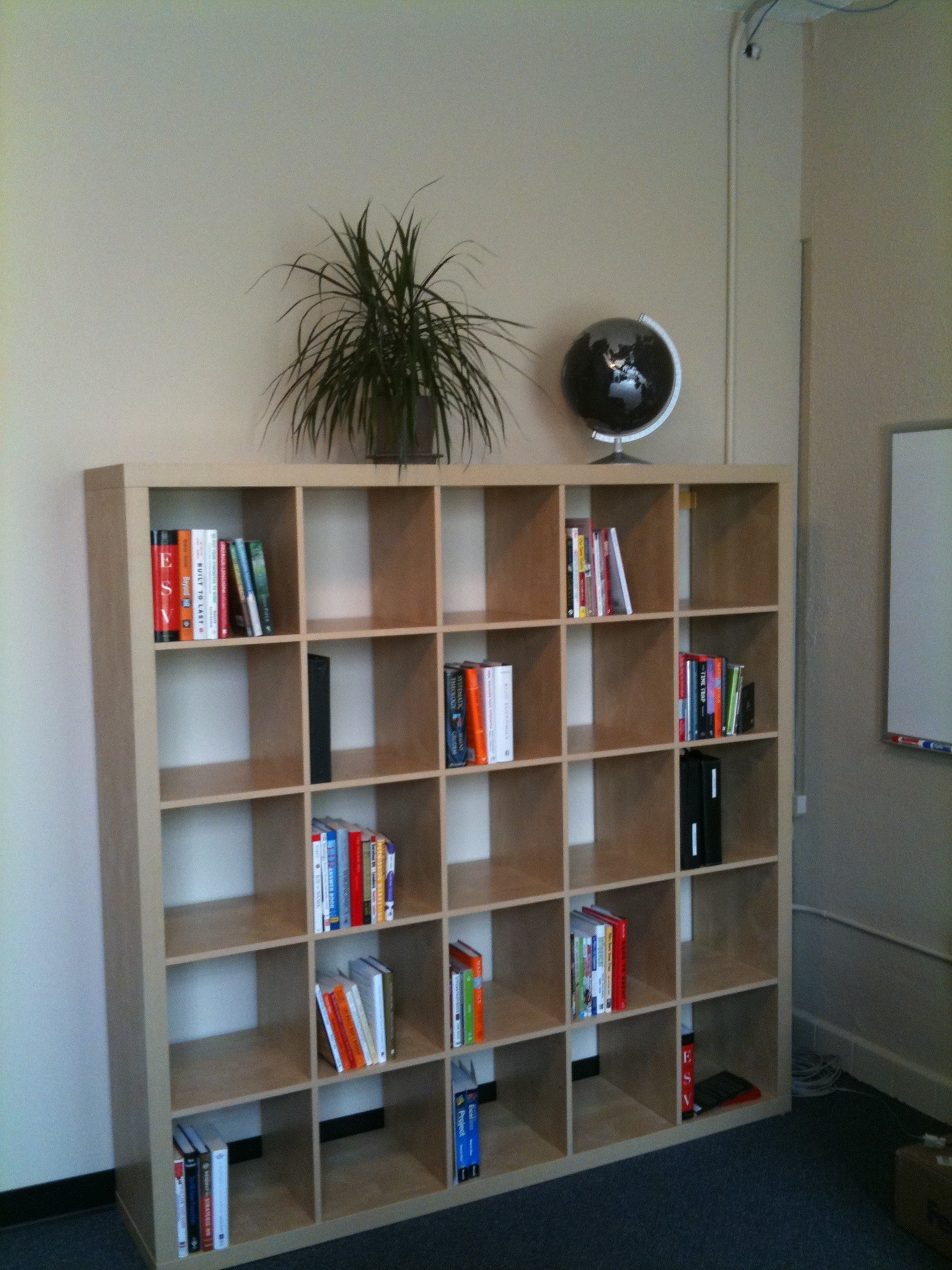
IKEA KALLAX Shelf: Modular, fits books and boxes.
Three-Tier Rolling Cart: Move supplies from room to room.
Wall Pegboard Kit: Organize cables, chargers, and tools.
Real-life Example Setups
Let’s look at how real people make the most of their small spaces.
Freelancer’s Window Nook
Location: Bedroom corner by a window
Gear: 24” monitor on arm, laptop on stand, wireless keyboard and mouse
Storage: Floating shelves above, rolling cart for supplies
Tip: Natural light for focus, monitor arm saves desk space
Gamer’s Living Room Setup
Location: Behind the sofa, using a wall-mounted desk
Tip: Good lighting is key for video calls, even in small spaces
How To Make Video Calls Look Professional
Video meetings are now a big part of remote work. A small space can make it harder to look professional, but these tips help:
Lighting: Face a window or use a ring light for even lighting.
Background: Use a tidy wall, curtain, or virtual background. Remove clutter.
Camera Angle: Raise your laptop or webcam to eye level.
Audio: Use a USB microphone or headset for clear sound, even with background noise.
Dress: Even in a small space, dress for the meeting—it helps you feel more confident.
Non-obvious tip: Test your setup with your webcam before every call. Move lamps, books, or plants to get the best look.
Budgeting For A Small Home Office
You don’t need to spend a lot. Here’s how costs can break down:
Item
Budget Option
Mid-Range
Premium
Desk
$50–$80
$120–$200
$300+
Chair
$50–$100
$120–$250
$300+
Monitor
$80–$120
$150–$250
$350+
Accessories
$30–$50
$70–$150
$200+
Total
$210–$350
$460–$850
$1,150+
Tip: Start with budget options, then upgrade one item at a time. A good chair is the best first investment for your health.
Pros And Cons Of Small Home Office Setups
Every setup has its positives and negatives. Here’s a quick look:
Pros
Efficient Use of Space: Makes even tiny apartments work for remote jobs.
Less Clutter: Forces you to keep only the essentials.
Lower Cost: Smaller furniture and gear are usually cheaper.
Easier to Clean: Less space, less to clean.
Cons
Limited Storage: Hard to keep lots of supplies or files.
Potential for Distraction: Harder to separate work from home life.
Comfort Issues: Can feel cramped if not set up well.
Noise: Small spaces may be closer to family or roommates.
Pro Tip: If possible, use noise-canceling headphones, and create a daily routine to switch in and out of “work mode.”
Performance And Productivity Insights
Many worry that a small space means low productivity. But studies show that environment matters more than size. According to a Harvard Business Review study, organization and ergonomics are bigger factors in remote work success than room size.
A focused, clutter-free zone with the right tools can boost:
Focus: Fewer distractions, more done in less time.
Motivation: A dedicated spot tells your brain it’s time to work.
Comfort: Good posture and lighting reduce fatigue and errors.
Non-obvious insight: Small spaces make it easier to control distractions and personal items. With less room, you’re less likely to pile up non-work stuff that can kill focus.
Modern Design Trends For Small Offices
Want your home office to look modern and stylish? Try these trends:
Minimalism: Clean lines, few decorations, lots of white or neutral colors.
Biophilic Design: Add plants, wood, or nature-themed art for calm and creativity.
Smart Lighting: LED strips, color-changing bulbs, or app-controlled lamps.
Multi-use Decor: Items that look good and serve a purpose—like a corkboard wall.
Personal Touches: Small photos, art prints, or souvenirs for inspiration.
Performance Table: Top Accessories For Productivity
Here’s a quick look at how popular accessories impact productivity:
Accessory
Benefit
Space Used
Productivity Boost
Monitor Arm
Frees desk space, adjustable screen
Very Low
High
Wireless Keyboard
Less cable clutter, position flexibility
Low
Medium
LED Desk Lamp
Reduces eye strain
Low
High
Laptop Stand
Better posture, space for accessories
Low
Medium
Rolling Cart
Mobile storage
Medium
Medium
Practical Tips For Staying Motivated In A Small Home Office
It’s easy to lose motivation in a small space. These strategies help:
Set Work Hours: Start and end at the same time each day.
Take Breaks: Step outside, stretch, or walk to another room.
Decorate: Add plants or art that make you happy.
Change Scenery: Move your laptop to a different spot for a fresh view.
Keep it Tidy: A clean space boosts focus.
Credit: www.youtube.com
Mistakes To Avoid When Setting Up A Small Home Office
Many people repeat the same errors. Watch out for these:
Overcrowding: Too much furniture or gear makes the space feel tight.
Ignoring Ergonomics: Bad posture can lead to pain, even in a small spot.
Poor Lighting: Dark rooms make you tired; bright, adjustable lights are best.
No Storage Plan: Messy workspaces kill productivity.
Skipping Personalization: An office should inspire you, not feel like a closet.
Where To Get More Inspiration
Sites like Pinterest, Reddit’s r/Workspaces, and YouTube are packed with real-life ideas. You’ll see how people use IKEA hacks, thrift store finds, and custom builds to create dream offices in tiny apartments.
What Is The Best Desk Shape For A Small Home Office?
Corner desks and wall-mounted desks are usually best for small spaces. They fit into unused corners or can be folded away when not in use, maximizing floor space and keeping your work area open.
How Can I Reduce Clutter In My Small Home Office?
Go paperless, use floating shelves and pegboards, and store only what you use daily. Regularly reset your workspace and use cable management tools to keep cords organized.
Can I Have A Dual Monitor Setup In A Small Space?
Yes, but use monitor arms or a portable USB monitor to save desk space. Choose smaller screens (21–24 inches) and arrange them vertically if needed.
What Lighting Is Best For Small Home Offices?
A mix of natural light and an adjustable LED desk lamp works well. Avoid dark corners and use soft background lighting to reduce eye strain, especially for video calls.
How Do I Make My Small Office Look Professional On Video Calls?
Keep the background clean, use good lighting (face a window or lamp), and raise your camera to eye level. Add a plant or simple art for a polished look, and always test your setup before meetings.
Creating a great home office in a small space is about smart choices, not square footage. With the right gear, good organization, and a little creativity, you can build a productive, comfortable, and inspiring workspace—no matter how small your home.