
Small businesses are entering an exciting new era. In the past, powerful tools were only for large companies with big budgets. Now, AI tools for small business are changing the game. They help save time, cut costs, and boost growth—even if you have only a few employees. With the right AI solutions, you can automate boring tasks, make smarter decisions, and create a better experience for your customers. But with so many options, how do you know which tools are worth your time and money?
This guide will help you understand how AI tools work for small businesses, which areas they can help with, and how to choose the best ones for your needs. You’ll discover non-obvious tips and learn from real examples, so you can avoid common mistakes and get ahead of your competition—even if you’re just starting out.
Many small business owners think AI is only for tech giants. In reality, AI tools for startups and small companies can be even more valuable. You likely have fewer staff, limited time, and a tighter budget. AI can help you:
A surprising fact: In a 2023 survey, 60% of small businesses using AI said they saved at least five hours per week per employee. That’s time you can use to focus on growth or deliver better service.
AI tools come in many forms. Understanding the main categories helps you spot which ones matter most for your business.
Not every business needs every type. Focus first on your biggest pain points.
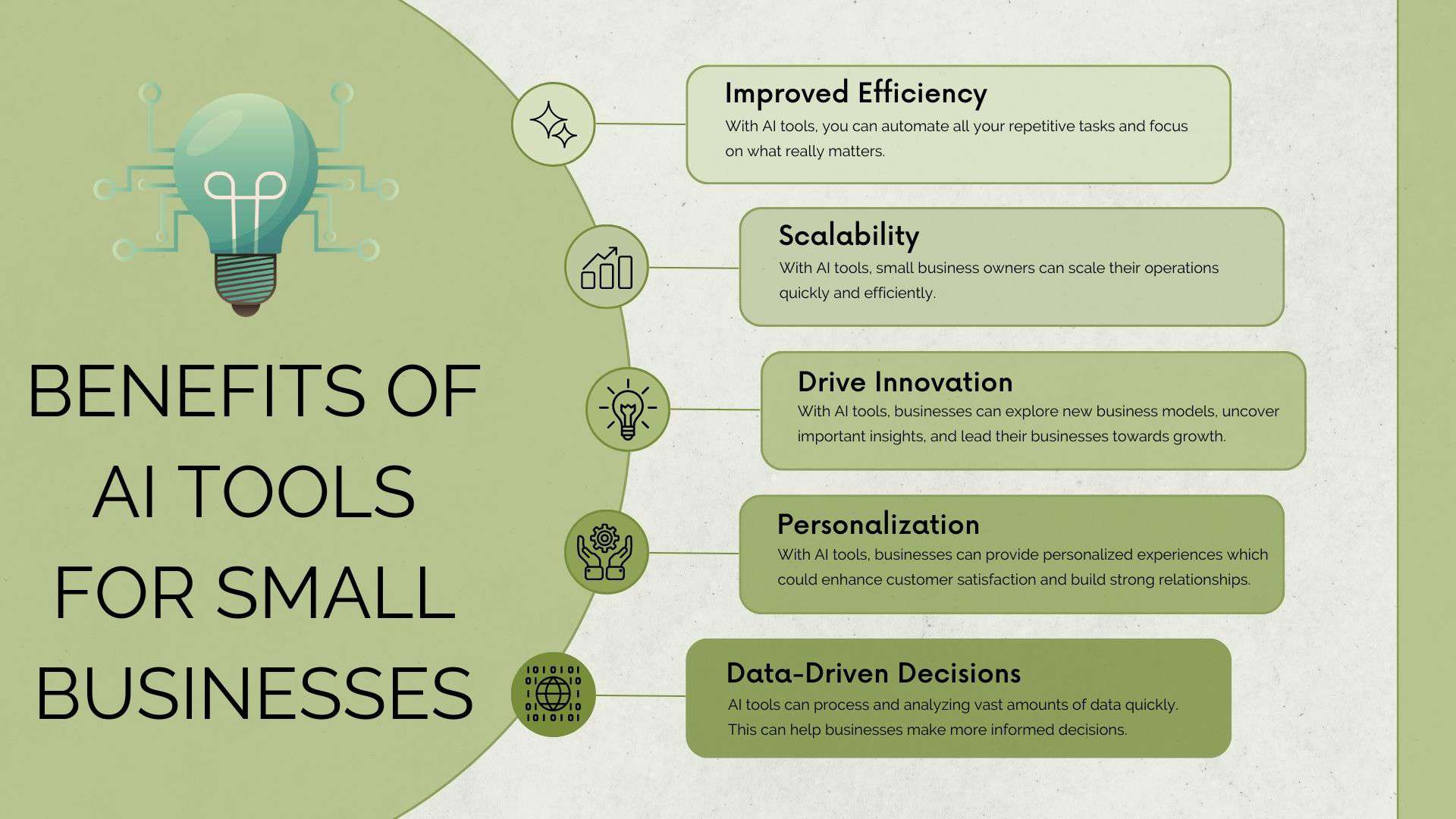
Credit: kripeshadwani.com
AI software learns from data—sometimes from millions of examples. It finds patterns and uses them to make predictions or generate content. For example, an AI writing tool might read thousands of emails, then help you write new ones in your style. A chatbot might answer customer questions by matching them to a database of answers.
Most AI tools are easy to use. You don’t need to know programming. Many offer simple dashboards or connect with tools you already use (like Gmail, Slack, or Shopify).
Here’s a quick look at some top AI tools, what they’re best for, and their starting prices.
| Tool | Best For | Pricing (Starting) |
|---|---|---|
| Jasper | AI content creation | $39/month |
| ChatGPT | Customer support, writing | $20/month |
| Zapier | Business automation | Free, paid from $19.99/month |
| Grammarly | Writing & editing | Free, paid from $12/month |
| Hootsuite | Social media marketing | $99/month |
| ManyChat | AI chatbots | Free, paid from $15/month |
| SurferSEO | SEO & content optimization | $69/month |
| Otter.ai | Transcription & meeting notes | Free, paid from $8.33/month |
| Pictory | AI video creation | $19/month |
| Fireflies.ai | Meeting summaries | Free, paid from $10/month |
Credit: www.onlinelabels.com
Below, you’ll find a detailed look at ten powerful AI tools. These cover different needs, from writing to automation, marketing to customer service.
Overview: Jasper is a leading AI writing tool. It helps you create blog posts, ads, emails, and even product descriptions—much faster than doing it by hand.
Key Features:
Pros:
Cons:
Pricing: Starts at $39/month
Tip: Use Jasper’s “recipes” to speed up repeated writing tasks.
Overview: ChatGPT by OpenAI is a powerful AI chatbot. It can answer questions, write emails, and even generate code.
Key Features:
Pros:
Cons:
Pricing: Free tier, paid from $20/month
Tip: Use ChatGPT to draft responses to common customer emails, then review before sending.
Overview: Zapier connects your favorite apps and automates tasks between them. For example, you can send new leads from your website straight to your CRM or Google Sheets.
Key Features:
Pros:
Cons:
Pricing: Free tier, paid from $19.99/month
Tip: Start with simple Zaps (like automating invoices) to see fast results.
Overview: Grammarly is an AI-powered writing assistant. It checks grammar, spelling, clarity, and even tone.
Key Features:
Pros:
Cons:
Pricing: Free, paid from $12/month
Tip: Use Grammarly’s browser extension to check all your web writing instantly.
Overview: Hootsuite is a social media management tool with built-in AI features. It helps you schedule posts, track engagement, and analyze what works.
Key Features:
Pros:
Cons:
Pricing: Starts at $99/month
Tip: Let Hootsuite’s AI suggest the best times to post for your audience.
Overview: ManyChat builds AI chatbots for Facebook, Instagram, and WhatsApp. It automates customer conversations and lead collection.
Key Features:
Pros:
Cons:
Pricing: Free tier, paid from $15/month
Tip: Use ManyChat to answer common questions and collect emails while you sleep.
Overview: SurferSEO is an AI tool for content creation and optimization. It analyzes top-ranking pages and helps you write better articles.
Key Features:
Pros:
Cons:
Pricing: Starts at $69/month
Tip: Audit your old blog posts and update them using SurferSEO’s suggestions.
Overview: Otter.ai turns meetings, interviews, and calls into searchable text. Great for teams who want to keep clear records.
Key Features:
Pros:
Cons:
Pricing: Free tier, paid from $8.33/month
Tip: Use Otter.ai to send instant meeting notes to absent team members.
Overview: Pictory is an AI video creation tool. Turn scripts or blog posts into short, shareable videos.
Key Features:
Pros:
Cons:
Pricing: Starts at $19/month
Tip: Use Pictory to quickly turn blog posts into video summaries for Facebook or Instagram.
Overview: Fireflies.ai joins your meetings and creates searchable transcripts and summaries. It’s ideal for teams that meet often or work remotely.
Key Features:
Pros:
Cons:
Pricing: Free tier, paid from $10/month
Tip: Use Fireflies.ai to track follow-ups and tasks discussed in meetings.
Choosing the right AI tools for productivity or marketing can feel overwhelming. Here’s a step-by-step approach:
A non-obvious insight: Don’t just pick the tool with the most features. Choose the tool you and your team will actually use every day.
Let’s look at a simple cost comparison between using AI tools and hiring a human for similar tasks.
| Task | AI Tool Cost (per month) | Human Employee Cost (per month) | Notes |
|---|---|---|---|
| Blog writing (8 articles) | $39 (Jasper) | $1,500+ | AI needs review, human offers more creativity |
| Social media scheduling | $99 (Hootsuite) | $600+ | AI handles multiple platforms |
| Customer support (24/7) | $15 (ManyChat) | $2,000+ | AI covers common questions, humans for complex issues |
| Note-taking/transcription | $8.33 (Otter.ai) | $400+ | AI is instant, human is more accurate |
While AI isn’t perfect, the cost savings are clear—especially for routine tasks.
Even the best AI tools for freelancers and entrepreneurs are only helpful if used well. Here are mistakes to avoid:
A common beginner oversight: Focusing only on features, not on real business outcomes. Choose AI tools based on the results you want, not just flashy technology.
To get ahead, try these less obvious strategies:
Many small businesses have transformed thanks to AI. Here are a few short stories:

Credit: upmetrics.co
Different businesses have different needs. Here are some good matches:
Remember, the best affordable AI tools are the ones you’ll actually use every day.
AI tools often handle sensitive data—like customer emails or financial information. Here’s what to check:
If in doubt, start with the free version and test with non-sensitive data first.
AI is moving fast. In 2026 and beyond, expect:
Getting comfortable with AI now puts your business ahead of the curve. According to a report from McKinsey & Company, companies that adopt AI early often see faster growth and higher profits.
Some of the best include Jasper (writing), ChatGPT (support), Zapier (automation), Grammarly (editing), and ManyChat (chatbots). The right choice depends on your business needs—start with one that solves your biggest problem.
Many AI tools for small business have free plans or start under $20/month. They are usually much cheaper than hiring extra staff for the same tasks. Compare costs and start small to see if you get a good return.
AI tools are great for repetitive or simple tasks, like data entry or answering common questions. For creative work or complex customer issues, humans are still best. Think of AI as a helper, not a replacement.
Choose tools from well-known companies with good reviews. Check where they store your data, how they protect privacy, and if they follow rules like GDPR. Start with non-critical work to test safety.
List your most time-consuming tasks and pick one AI tool to help. Try the free version, follow setup guides, and ask for help if needed. Once you see results, add more tools as your business grows.
Small businesses now have access to powerful AI tools that were once only for big companies. By starting with the right tools, focusing on your biggest pain points, and reviewing your results, you can save time, cut costs, and grow your business faster than ever.
The future belongs to businesses that use AI wisely—don’t get left behind.
