
For small business owners, every minute and dollar counts. Today, AI tools are changing how small businesses compete, grow, and succeed. You no longer need a big budget or a tech team to use artificial intelligence. Many tools are simple, affordable, and easy to start. But how do you choose the right ones? How can you use AI to save time, increase sales, or make smarter decisions?
Let’s explore the world of AI tools for small businesses. We’ll look at popular options, real use cases, and practical tips. By the end, you’ll have a clear idea of which tools could help your business—and how to use them wisely.
Small businesses face tough challenges. Limited staff, small budgets, and competition from big companies make growth difficult. AI tools offer a way to level the playing field. They automate tasks, analyze data, and help you focus on what matters most.
Consider these real numbers:
AI can handle:
For small business owners, AI is not just a trend. It’s a practical tool to save time, reduce costs, and improve customer service.
Let’s look at some of the most useful AI tools today. Each tool solves a real business problem. We’ll compare their features, pricing, pros and cons, and give real-world examples.
Chatbots help small businesses respond to customers fast. They answer common questions, book appointments, and even sell products.
| Tool | Features | Pricing | Pros | Cons | Use Case |
|---|---|---|---|---|---|
| ChatGPT (OpenAI) | Smart responses, customizable, multi-language | Free, Plus plan $20/month | Easy setup, strong language skills | Limited integrations, can miss context | Answering customer emails |
| ManyChat | Facebook/Instagram chat, automation, templates | Free, Pro $15/month | Great for social media, easy templates | Less flexible, basic analytics | Automating appointment booking |
| Tidio | Live chat, AI bot, email support | Free, paid from $19/month | Multi-channel, fast setup | Limited advanced features | Answering website questions |
Key insight: Many beginners overlook how chatbots can handle after-hours messages, reducing lost sales.
Marketing is critical, but often time-consuming. AI can help you write emails, create ads, and target the right customers.
| Tool | Features | Pricing | Pros | Cons | Use Case |
|---|---|---|---|---|---|
| Jasper | AI content, ad copy, blogs | Starts at $39/month | Fast content, many templates | Occasional errors, learning curve | Writing social media posts |
| Mailchimp | Email automation, AI segmentation | Free, paid from $13/month | Easy email setup, smart targeting | Advanced features cost more | Sending newsletters |
| HubSpot | CRM, email, AI chat | Free, paid from $50/month | All-in-one, strong analytics | Can be complex, expensive for big teams | Tracking customer leads |
Non-obvious tip: AI marketing tools can track which customers are likely to buy, not just who opened an email.
Accounting is often stressful for small businesses. AI tools can automate invoicing, track expenses, and even spot fraud.
| Tool | Features | Pricing | Pros | Cons | Use Case |
|---|---|---|---|---|---|
| QuickBooks Online | Expense tracking, AI reporting | Starts at $30/month | Reliable, easy to use | Can be pricey, limited customization | Monthly expense reports |
| Xero | AI bank feeds, invoicing | Starts at $13/month | Good for small teams, clear dashboard | Less advanced analytics | Automated bill payments |
| Zoho Books | AI reminders, invoices, analytics | Starts at $15/month | Affordable, smart reminders | Limited integrations | Late payment reminders |
Insight: Many businesses forget to use AI for spotting irregular payments—a common cause of cash flow problems.
Time management is a daily challenge. AI scheduling tools help you book meetings, send reminders, and organize tasks.
Tip: AI scheduling tools can also send automatic follow-ups—helping close deals faster.
Visual content is key for marketing. AI design tools make it easy to create logos, banners, and product images.
Advanced tip: Use AI design tools to test different ad images and see which gets more clicks—most owners don’t realize this can be automated.
Understanding your business numbers is critical. AI analytics tools turn data into simple insights.
Smart tip: You can use AI analytics to forecast sales and stock levels—not just to look at past numbers.
Let’s compare some of the most popular tools across categories.
| Tool | Category | Main Feature | Pricing | Best For | Pros | Cons |
|---|---|---|---|---|---|---|
| ChatGPT | Chatbot | Smart conversation | Free/$20/mo | Customer support | Flexible, strong AI | Needs manual training |
| Jasper | Marketing | AI content writing | $39/mo | Social media, ads | Fast writing | Errors possible |
| QuickBooks | Accounting | Expense tracking | $30/mo | Bookkeeping | Trusted brand | Can be expensive |
| Calendly | Scheduling | Meeting booking | Free/$8/mo | Appointments | Easy setup | Basic analytics |
| Canva AI | Design | Image editing | Free/$12.99/mo | Ads, banners | User-friendly | Advanced features paid |
A small clothing store uses ChatGPT as a website chatbot. Customers ask about sizes, returns, and promotions. The bot answers instantly—even after closing hours. This reduces missed sales and saves staff time.
A two-person agency uses Jasper to write blog posts and ad copy. With AI, they deliver work faster and handle more clients. They use Canva AI for quick ad designs and test which images perform best.
A restaurant uses Calendly for booking tables. The AI sends reminders to customers, reducing no-shows. Staff spend less time on the phone, and more time serving guests.
A small firm uses QuickBooks and Zoho Books to automate invoicing and expense tracking. AI spots late payments and sends reminders. Staff spend less time on manual work and more on advising clients.
An online shop uses Google Analytics with AI insights to track which ads bring sales. They adjust their marketing budget based on AI recommendations, increasing ROI.
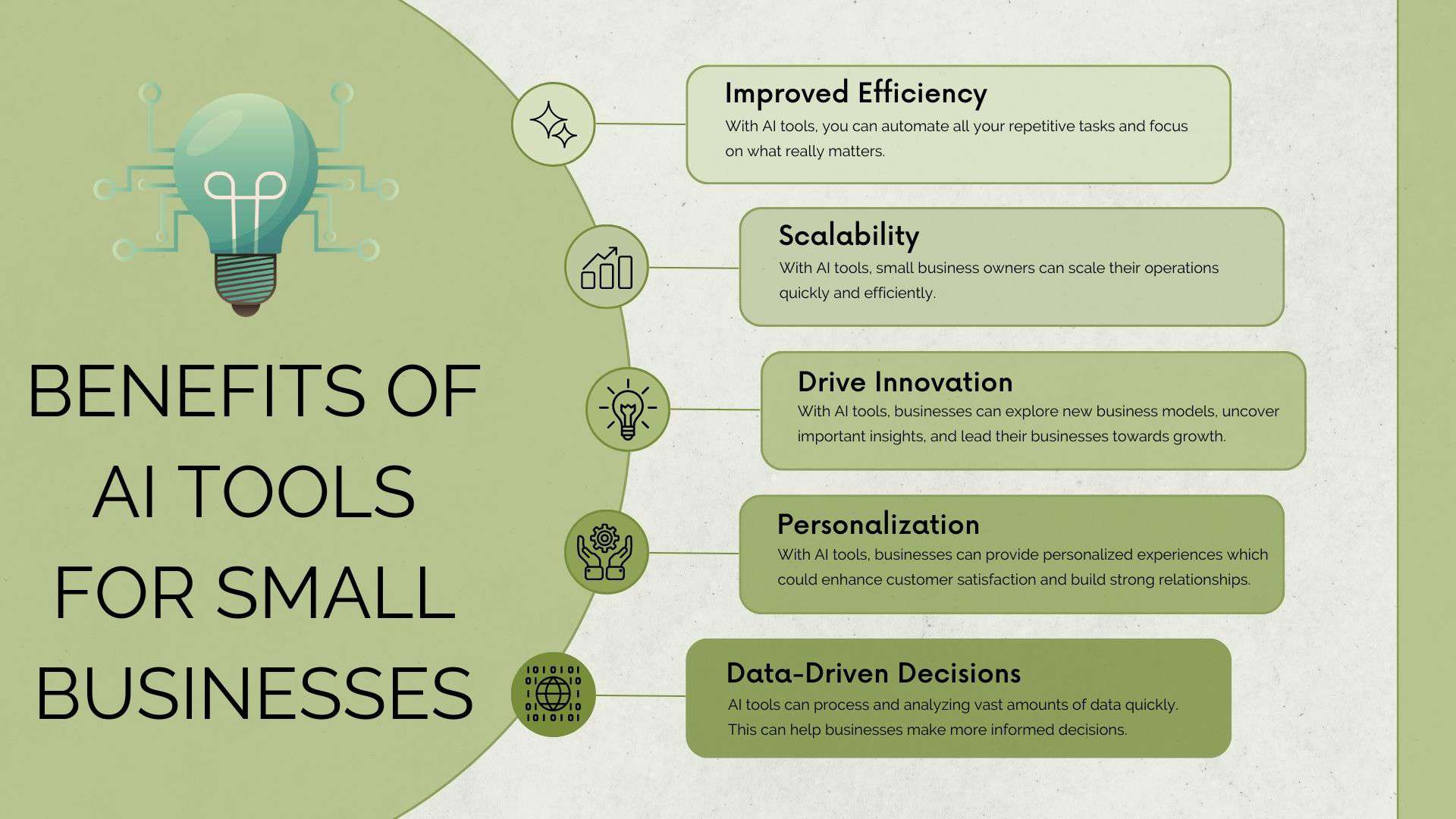
Credit: kripeshadwani.com
Choosing AI tools can be confusing. Here’s a simple guide to help:
Most tools have free versions or trials. Start small.
Try a tool for 7–14 days. See if it saves time or improves quality.
Learn how other small businesses use the tool.
Many beginners buy too many tools and never use them fully. Start with one or two.
Expert tip: Choose tools that offer strong customer support—many AI tools have live chat or email help.
Let’s break down the main advantages and disadvantages.
Expert insight: The biggest mistake is ignoring regular updates—AI tools improve often, so keep your software current.

Credit: upmetrics.co
Most AI tools charge monthly fees. Here’s a quick look:
Many tools offer discounts for yearly plans or small teams. Always check for hidden costs like extra users or advanced features.
Advanced tip: Set a regular time each month to review AI tool performance—adjust as needed.

Credit: biztechmagazine.com
EEAT best practice: Choose tools with clear privacy policies and reliable customer support. This builds trust and protects your business.
AI tools are more than helpers—they can drive real business growth. Here’s how:
Case study: A bakery used AI chatbots for orders and reminders. Sales grew by 25% in three months, and staff spent less time on the phone.
Choose based on your biggest pain point (customer service, marketing, or accounting).
Test features with real tasks.
Most tools offer step-by-step videos.
Decide what you want to improve (save time, increase sales, reduce errors).
Check if the tool delivers on your goals.
Once comfortable, add more tools or upgrade plans.
Helpful resource: For more on AI tools for small business, see U.S. Small Business Administration.
The best tools depend on your needs. ChatGPT is great for customer service, Jasper for marketing, QuickBooks for accounting, and Calendly for scheduling. Look for tools that fit your workflow and budget.
Prices vary. Many offer free versions. Paid plans range from $8 to $70/month depending on features. Always check for hidden costs or extra charges for advanced tools.
Most reputable AI tools use strong security and privacy policies. Always choose well-known brands and read their terms. Avoid unknown tools that don’t explain how they protect your data.
AI tools automate routine tasks but can’t fully replace human staff. They help your team focus on important work, improve speed, and reduce errors. The best results come from combining AI with human skills.
Test with real tasks using free trials. Watch tutorials, read reviews, and ask other business owners. If the tool saves time, improves quality, or boosts sales, it’s likely a good fit.
AI tools are now accessible and practical for small businesses. They save time, reduce errors, and help you grow. Start with one tool, learn its features, and expand as you see results. Focus on your biggest challenge—whether it’s customer service, marketing, accounting, or scheduling.
With the right AI tools, you can compete with larger companies and achieve your goals faster.
Ready to start? Test a free AI tool today and see how it transforms your business. The future is here, and it’s waiting for you to take action.
