Imagine a customer lands on your website at midnight, full of questions. You’re asleep. But your AI chatbot is wide awake, ready to help, answer, and even close a sale. For small businesses, this is not just a tech dream—it’s a powerful reality. AI chatbots are changing the way small companies connect with customers, giving even the smallest teams the power to look big and stay available 24/7.
But not all chatbots are equal. Some are easy to set up, others need coding. Some focus on sales, while others excel in support. Choosing the right one can feel overwhelming, especially if you don’t have a dedicated IT team or a big budget.
This guide will help you understand what matters, compare top options, and pick the best AI chatbot for your small business website.
AI chatbots are more than just virtual assistants—they’re business boosters. For small businesses, every visitor and every question counts. Here’s how chatbots help:
Many small business owners miss one key benefit: chatbots can collect valuable data. They remember what customers ask and help you spot trends, so you can improve your products or services.
Not every chatbot will fit your business. Before you choose, focus on the features that matter most for small teams:
Two features are often overlooked: support for multiple languages (critical if your customers are global) and robust analytics to track performance. These details make a big difference as your business grows.
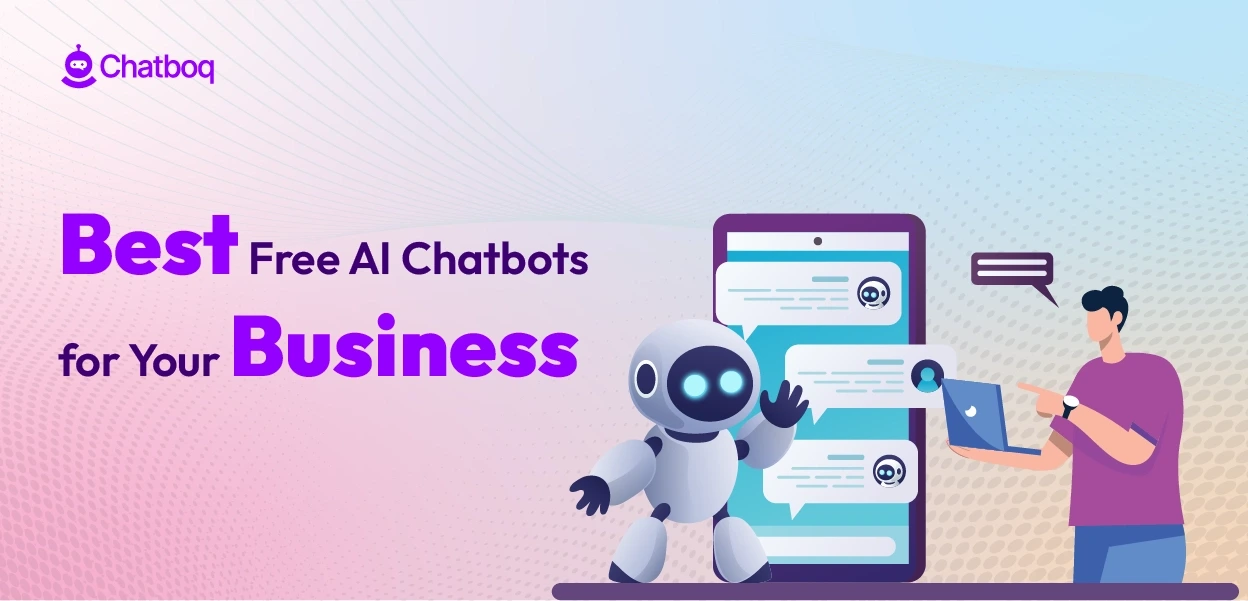
Credit: chatboq.com
There are hundreds of chatbot tools, but here are the seven best for small business websites. Each stands out for ease of use, features, and value.
Tidio combines live chat and AI in one platform. It’s made for small teams who want to look professional without hiring extra staff.
Features:
Pros:
Cons:
Pricing: Free for basic use; paid plans start at $29/month.
Chatfuel is a leader for Facebook Messenger bots, but it now offers website integration too. It’s popular with small e-commerce stores and service businesses.
Features:
Pros:
Cons:
Pricing: Free for up to 50 conversations/month; paid plans from $15/month.
ManyChat is known for its simple setup and marketing focus. It helps you grow your audience and automate messages across Facebook, Instagram, WhatsApp, and your website.
Features:
Pros:
Cons:
Pricing: Free for up to 1,000 contacts; Pro plans from $15/month.
Intercom is a premium choice, popular with startups and fast-growing small businesses. It combines chat, email, and advanced AI to deliver personal experiences.
Features:
Pros:
Cons:
Pricing: Starts at $74/month. No free plan.
Drift is focused on conversational marketing. Its AI chatbot helps qualify leads, book meetings, and answer customer questions—often before they even ask.
Features:
Pros:
Cons:
Pricing: Custom quotes; basic plans start around $60/month.
Landbot offers a unique, visual chatbot builder. You can create interactive chat flows with drag and drop—no coding or technical skills needed.
Features:
Pros:
Cons:
Pricing: Free for basic use; paid from $39/month.
Zendesk is famous for customer support, and its Answer Bot uses AI to reply to common questions and direct customers to the right resources.
Features:
Pros:
Cons:
Pricing: Starts at $49/month (as part of Zendesk Suite).
Here’s a side-by-side look at the main features and pricing for quick reference:
| Chatbot | Best For | Free Plan | Starting Price (Paid) | Multi-Channel | Ease of Use |
|---|---|---|---|---|---|
| Tidio | Support + Sales | Yes | $29/mo | Email, Messenger | Very Easy |
| Chatfuel | Messenger + Web | Yes | $15/mo | Messenger, Instagram, Web | Easy |
| ManyChat | Marketing Automation | Yes | $15/mo | Messenger, SMS, Email, Web | Very Easy |
| Intercom | Growing Startups | No | $74/mo | Chat, Email, In-App | Medium |
| Drift | B2B Sales | No | $60/mo | Chat, Email | Medium |
| Landbot | Interactive Flows | Yes | $39/mo | Web, WhatsApp | Very Easy |
| Zendesk Answer Bot | Customer Support | No | $49/mo | Email, Web, Social | Easy |
Picking the right AI chatbot is about more than features and price. Here’s how to make a smart choice:
Many small businesses forget to test how the bot works on mobile devices. Over half of website traffic is mobile—make sure your chosen bot looks good and works fast on phones and tablets.
Suppose you run a small Shopify store. You want to answer questions about shipping, help with orders, and collect emails for your newsletter. Tidio or ManyChat both integrate with Shopify and offer lead capture. But Tidio’s live chat and AI FAQ system might give you more support flexibility, while ManyChat’s automation is better for marketing.
Test both to see which matches your workflow.
The real power of AI chatbots is in daily results. Here’s what small business owners report:
A 2023 survey by Tidio found that 62% of consumers are more likely to buy from a business that offers a chatbot. For small businesses, this trust can be a game-changer.
Even the best chatbot won’t help if it’s set up wrong. Watch out for these common errors:
One detail beginners often miss: set clear handoff rules. If the bot can’t answer, it should quickly offer a way to reach a real person.
As your business grows, you may want more from your chatbot. Modern bots can:
Here’s a quick look at some advanced features available in the top chatbots:
| Feature | Tidio | ManyChat | Intercom | Drift | Zendesk Answer Bot |
|---|---|---|---|---|---|
| Appointment Booking | Yes | Yes | Yes | Yes | No |
| CRM Integration | Yes | Yes | Yes | Yes | Limited |
| Multi-language Support | Yes | Limited | Yes | Yes | Yes |
| Custom Branding | Yes | Yes | Yes | Yes | Yes |
| Advanced Analytics | Yes | Yes | Yes | Yes | Yes |
If you plan to grow, pick a bot that won’t hold you back. Look for easy upgrades and scalable plans.

Credit: aiflowreview.com
Pricing for AI chatbots varies widely. Here’s what most small businesses can expect:
Some tools (like Intercom or Drift) use custom quotes for full features, which may be too expensive for a micro-business but perfect for a growing company.
Before you buy, check for annual discounts—many platforms offer 20% off or more for yearly billing.
Getting started is easier than many people think. Here’s a quick roadmap:
Don’t rush the setup. Spend time on your welcome message and main questions—these are your first impression.
A detail many skip: train your team. Make sure everyone knows how to use the chatbot, check leads, and jump in when needed.
AI chatbots use artificial intelligence to answer customer questions automatically, even when your team is offline. Regular live chat connects visitors with a human agent right away. Many platforms, like Tidio and Intercom, combine both for the best experience.
Most top chatbots use secure encryption and follow privacy rules like GDPR. Always check your platform’s privacy policy and only ask for the information you truly need. For sensitive data, use extra security steps or manual review.
Yes. The best AI chatbots for small businesses, such as Landbot and ManyChat, use drag-and-drop builders and easy templates. You can set up a working chatbot in a few hours, no programming required.
Not completely. AI chatbots handle common questions and save time, but real people are still needed for complex issues or sensitive conversations. The best results come from mixing both—let the bot answer FAQs and humans handle the rest.
For in-depth research and industry trends, visit the Gartner Chatbot Glossary.

Credit: www.nodesure.com
AI chatbots are no longer just for big companies. With the right tool, any small business can offer fast, friendly, 24/7 support that keeps customers coming back. Start with your top needs, test a few leading platforms, and don’t be afraid to start simple.
As your business grows, your chatbot can grow with you—saving time, boosting sales, and making every customer feel valued. Choose wisely, and watch your website work smarter, not harder.
