
A slow website is like a locked door for your visitors. People leave if a page takes too long to load. Even a delay of just one second can drop conversions by up to 20%. Search engines also punish slow sites, lowering their rank.
So, if you want better traffic and happier users, speed optimization is critical.
But improving website speed is not simple. There are many tools out there—each promising faster load times, better scores, and easier fixes. With so many options, it’s easy to feel confused. Which tools really work? Which are worth your time and money?
This guide will help you find the best website speed optimization tools for your needs, with clear comparisons, pricing, real-world examples, and expert advice.
A fast website is more than a luxury—it’s a must. There are three main reasons:
Recent studies show that 53% of mobile users leave a site that takes over three seconds to load. These numbers prove that website speed impacts everything—traffic, sales, and reputation.
Speed optimization tools test your site, show what’s slow, and suggest ways to fix it. Some tools even optimize files, images, or code automatically. Others track speed over time or compare your site against competitors.
There are two main types:
A good tool saves hours of manual work and gives you clear steps to boost performance.
Here are the most trusted tools available today. Each tool is widely used by webmasters, developers, and businesses.
| Tool Name | Type | Pricing | Main Features | Pros | Cons |
|---|---|---|---|---|---|
| Google PageSpeed Insights | Testing | Free | Performance score, suggestions, mobile/desktop reports | Easy to use, reliable data | Limited customization |
| GTmetrix | Testing/Monitoring | Free & Paid | Waterfall chart, video playback, global test locations | Detailed reporting, history tracking | Free version limited |
| Pingdom Tools | Testing/Monitoring | Free & Paid | Performance grade, uptime monitoring, real user data | Clear interface, uptime alerts | Advanced features are paid |
| WebPageTest | Testing | Free | Advanced testing, multi-step tests, filmstrip view | Flexible, detailed results | Can be overwhelming for beginners |
| Cloudflare | Optimization/CDN | Free & Paid | Global CDN, caching, image optimization | Easy setup, security features | Advanced options require payment |
| WP Rocket | Optimization (WordPress) | Paid | Caching, minification, lazy loading | Simple, automatic, fast results | WordPress only, no free version |
| LiteSpeed Cache | Optimization (WordPress) | Free | Server-level caching, image optimization | Powerful, free, many features | Requires LiteSpeed server |
| NitroPack | Optimization | Free & Paid | All-in-one optimization, CDN, caching, image compression | Automatic, easy to use | Free plan limited, can break layouts |
| ImageOptim | Optimization (Images) | Free | Compresses images, removes metadata | Simple, effective, saves bandwidth | Mac only, manual process |
| New Relic | Monitoring/Optimization | Paid | Real-user monitoring, performance analytics | Deep insights, alerts, team features | High price, complex setup |
Google PageSpeed Insights is a free tool from Google. It analyzes your site’s speed for desktop and mobile. You get a performance score out of 100, and clear suggestions for improvement.
PageSpeed Insights shows you things like unused JavaScript, large images, and slow server response. It’s also used to check Core Web Vitals—metrics Google uses for ranking.
GTmetrix offers more detailed reports. It uses both Google and Yahoo rules to score your site. You get a waterfall chart that shows which files load slowly. GTmetrix also has a history feature—so you can track changes over time.
GTmetrix’s premium plans allow you to test from multiple countries, monitor sites, and get alerts when speed drops.
Pingdom Tools tests your site’s speed and grades performance. It also offers uptime monitoring and real user data. The interface is simple and clear.
Pingdom is popular for its alert system—if your site goes down or slows, you get a notification.
WebPageTest is a free, advanced testing tool. You can run multi-step tests, see filmstrip views of your site loading, and analyze every request.
WebPageTest allows you to choose browsers, locations, and connection speeds. It’s also good for testing how your site loads for users in different parts of the world.
Cloudflare is a CDN (Content Delivery Network) and security service. It caches your site on servers around the world, cutting load times for visitors far away. Cloudflare also optimizes images and protects against attacks.
Cloudflare’s free CDN is enough for most small sites. The paid plans add more features like image resizing, firewall rules, and advanced analytics.
WP Rocket is a paid plugin for WordPress. It handles caching, minification, lazy loading, and other speed tricks. After installation, your site speeds up with almost no setup.
WP Rocket also works well with other plugins and themes. It’s known for stable performance gains.
LiteSpeed Cache is a free plugin for WordPress. It uses server-level caching (faster than file caching) and includes image optimization. However, it needs a LiteSpeed server to unlock all features.
LiteSpeed Cache is popular with web hosts and developers who want advanced caching options.
NitroPack is an all-in-one optimization tool. It handles caching, image compression, CDN, and code minification. Everything is automatic—just connect your site and NitroPack does the rest.
NitroPack is used by many small businesses and online stores. Its automation saves time, but sometimes it changes site layouts or breaks custom scripts.
ImageOptim is a free app for Mac users. It compresses images and removes extra data, making files smaller without hurting quality. Smaller images mean faster load times.
ImageOptim is great for preparing images before uploading to your site. It’s not automatic but delivers strong results.
New Relic is a professional monitoring tool. It tracks real user experience, server performance, and website speed. You get alerts and can see how each part of your site is performing.
New Relic is trusted for high-traffic sites. It helps teams find bottlenecks and improve speed across many pages.
Here’s a quick comparison to help you choose:
| Tool | Best For | Automatic Fixes | Testing Depth | Pricing |
|---|---|---|---|---|
| Google PageSpeed Insights | Quick checks | No | Basic | Free |
| GTmetrix | Detailed analysis | No | Advanced | Free/$10+ monthly |
| Pingdom Tools | Speed + Uptime | No | Moderate | Free/$10+ monthly |
| WebPageTest | Deep testing | No | Advanced | Free |
| Cloudflare | Global speed | Yes | Moderate | Free/$20+ monthly |
| WP Rocket | WordPress speed | Yes | Moderate | $59/year |
| LiteSpeed Cache | WordPress + LiteSpeed | Yes | Moderate | Free |
| NitroPack | Hands-off optimization | Yes | Moderate | Free/$19+ monthly |
| ImageOptim | Image compression | No | Basic | Free |
| New Relic | Enterprise monitoring | No | Advanced | $99+ monthly |
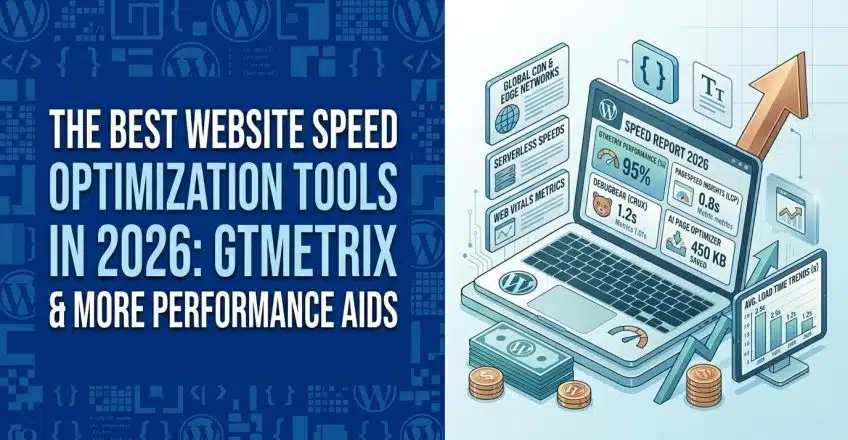
Credit: sternhost.com
Some beginners miss the importance of mobile optimization. Many tools show desktop results, but mobile users often face slower speeds. Always check mobile reports—especially with PageSpeed Insights.
Another insight: server response time is a hidden factor. Even perfect code won’t help if your host is slow. Tools like New Relic and WebPageTest can reveal these issues. Upgrading hosting or using a CDN often solves this.
If you run a large, complex site, invest in a tool like New Relic. It shows real user experience and helps teams find hidden slowdowns.
Here’s a clearer look at pricing:
Always check for free trials. Some tools (like NitroPack and GTmetrix) offer a free tier that is enough for small sites.
Credit: www.xenonstack.com

Credit: www.youtube.com
For more in-depth information, visit Google PageSpeed Insights.
Website speed is essential for happy visitors and better SEO. The best website speed optimization tools help you test, fix, and monitor your site. Start with free tools to diagnose issues. Use optimization plugins or services for automatic fixes. Don’t forget image compression, mobile testing, and regular monitoring.
Remember, speed is not a one-time job. Keep testing and improving—your visitors and search engines will reward you. If you’re ready to boost your website’s speed, pick a tool from this guide, follow the expert tips, and see the results for yourself.
Faster sites mean more visitors, more sales, and a stronger online presence.
