
Building a website today is nothing like it was ten years ago. You no longer need to know coding or hire expensive designers. Ai website design tools have changed the game, making web design faster, easier, and smarter. Whether you run a small business, want to start a blog, or manage a portfolio, these tools can help you create a beautiful site in just hours.
This article explores the world of Ai website design tools. You’ll learn how they work, which ones are the best, and how to choose the right tool for your needs. We’ll look at real examples, compare features, and reveal tips even most beginners miss. If you want a website that stands out, but don’t know where to begin, you’re in the right place.
Ai website design tools use artificial intelligence to help people build websites. These tools don’t just offer templates. They analyze your needs, suggest layouts, pick colors, and even write text. The goal is to make web design fast and easy for everyone.
You usually start by answering a few questions. The tool then suggests a design, which you can adjust. Some tools let you change things with simple clicks, while others offer deeper control. Ai can also help with SEO, making your site more visible on Google.
Many Ai tools learn from millions of websites. They use this data to suggest layouts that work well, avoid mistakes, and help you make smart design choices.
The rise of Ai website design tools is not just a trend. It’s a shift in how websites are made. Here’s why Ai is making such a big impact:
Ai tools are also improving every year. As they learn from more sites, their suggestions get better. This means even beginners can create websites that look professional.
Let’s look at some of the best Ai website design tools available. Each tool offers unique features, pricing, and strengths. Here’s a detailed comparison to help you choose.
| Tool Name | Main Feature | Ease of Use | Pricing | Best For |
|---|---|---|---|---|
| Wix ADI | Automatic site creation | Very easy | Starts at $16/month | Small businesses, blogs |
| Zyro | Ai content & layout | Easy | Starts at $2.90/month | Portfolios, stores |
| Bookmark | Aida Ai designer | Easy | Starts at $11.99/month | Service sites |
| Squarespace Ai | Ai template suggestions | Moderate | Starts at $16/month | Creative projects |
| Framer Ai | Ai site generation | Very easy | Starts at $12/month | Landing pages |
| Jimdo Creator | Ai-powered website builder | Easy | Starts at $9/month | Personal sites |
| 10Web | WordPress Ai builder | Moderate | Starts at $10/month | WordPress users |
| Webflow Ai | Ai design suggestions | Moderate | Starts at $18/month | Advanced design |
Wix ADI (Artificial Design Intelligence) is a leader in Ai website design. You answer a few questions, and it builds your site in minutes. It chooses layouts, colors, and even adds text.
Pros:
Cons:
Pricing: Starts at $16/month. Free plan available, but with ads.
Real-World Use Case: A small bakery used Wix ADI to launch an online ordering website in one day. They saved money and grew sales by 30% in the first month.
Zyro uses Ai for both design and content. It offers Ai tools for writing, layout, and image editing. It’s one of the most affordable options.
Pros:
Cons:
Pricing: Starts at $2.90/month.
Real-World Use Case: A freelance photographer built a portfolio site in two hours using Zyro. The Ai suggested a layout and wrote text, helping him focus on his work.
Bookmark’s Aida Ai designer builds sites based on your answers. It’s focused on speed and simplicity. You can edit your site after creation.
Pros:
Cons:
Pricing: Starts at $11.99/month.
Real-World Use Case: A local plumber used Bookmark to create a service site. He got more clients after his site ranked higher in search.
Squarespace now offers Ai-powered template suggestions. It helps you pick the right design for your needs and suggests layouts.
Pros:
Cons:
Pricing: Starts at $16/month.
Real-World Use Case: An artist used Squarespace Ai to launch an online gallery. The site looked professional, and she sold more art pieces.
Framer Ai creates landing pages and websites from simple prompts. You describe what you want, and it builds the site.
Pros:
Cons:
Pricing: Starts at $12/month.
Real-World Use Case: A startup used Framer Ai to build a product landing page. They launched in one day and got 500 signups.
Jimdo’s Ai-powered creator is great for personal and small business sites. It asks a few questions and builds your site.
Pros:
Cons:
Pricing: Starts at $9/month.
Real-World Use Case: A teacher created a class website with Jimdo in two hours, saving time and improving communication with parents.
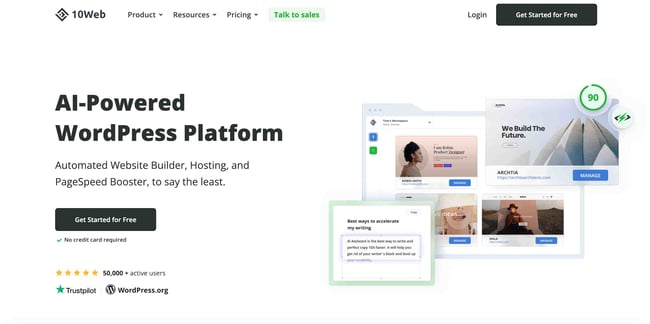
10Web uses Ai to build WordPress sites. It can copy other sites and turn them into WordPress pages.
Pros:
Cons:
Pricing: Starts at $10/month.
Real-World Use Case: An agency used 10Web to migrate client sites to WordPress, saving days of manual work.
Webflow Ai helps designers with layout suggestions and smarter editing. It’s for users who want more control.
Pros:
Cons:
Pricing: Starts at $18/month.
Real-World Use Case: A web designer used Webflow Ai to speed up client projects, finishing sites 40% faster.
Ai website design tools use machine learning and data. Here’s a simple breakdown:
Ai does not just guess. It uses data from millions of sites to make smart choices. This makes your site more likely to look good and perform well.
Choosing the right tool depends on your needs. Let’s compare the main features side by side.
| Tool | Ai Content Writing | SEO Help | Template Quality | App Integrations | Customization |
|---|---|---|---|---|---|
| Wix ADI | Yes | Strong | Good | Wide | Moderate |
| Zyro | Yes | Basic | Clean | Limited | Basic |
| Bookmark | No | Moderate | Responsive | Limited | Basic |
| Squarespace Ai | No | Strong | Excellent | Wide | Advanced |
| Framer Ai | No | Moderate | Modern | Limited | Basic |
| Jimdo Creator | No | Basic | Simple | Limited | Basic |
| 10Web | Yes | Strong | Good | Wide (WordPress) | Advanced |
| Webflow Ai | No | Strong | Excellent | Wide | Advanced |
Non-obvious insight: Some tools, like 10Web, can turn any website into a WordPress site using Ai. This is useful for agencies or anyone who wants to migrate sites quickly.
Another insight: Ai content writing is not always good for every site. If your brand needs a unique voice, you may want to edit Ai-generated text.
Pricing is important for most users. Ai website design tools range from free to $20/month, with extra fees for advanced features.
Most tools offer discounts for yearly plans. Some offer a free trial, but full features are often behind a paywall.
Common mistake: Many beginners pick the cheapest tool, but later find they need features only available in higher plans. Always check what’s included before paying.
Ai website design tools are used by many types of people and businesses. Here are real examples:
Example: A small gym used Wix ADI to build a booking site. Members could book classes online, and the gym owner managed everything from one dashboard.
Another example: An NGO used Zyro to launch a fundraising site. The Ai wrote content and suggested layouts, helping them raise money faster.
When using Ai website design tools, beginners often:
Pro tip: Always preview your site on different devices, and edit Ai-generated text to match your brand voice.
Choosing the best tool depends on your goals. Here’s what experts suggest:
Key factors to compare:
Another expert tip: Look for tools that offer Ai content writing and SEO optimization. This saves time and makes your site more effective.
Ai website design tools can help your site rank higher on Google. Here’s how:
But Ai is not perfect. You still need to check your site’s SEO. Add your own keywords, write unique text, and make sure your site is easy to use.
Example: A local restaurant used Ai to build a site with good SEO. They added their own keywords, and the site ranked higher in Google searches.
Many beginners think Ai website design tools do everything. But:
Another insight: Ai can help you make quick changes. If your business changes, you can update your site in minutes, not days.
Let’s break down the main advantages and disadvantages.
Pros:
Cons:
Expert opinion: Ai website design tools are best for small businesses, personal sites, and quick projects. For large, complex sites, you may still need a designer.

Credit: procreator.design
A good Ai website design tool should offer:
Example: Wix ADI offers a simple interface, strong Ai, and many integrations. It’s popular because it balances speed and flexibility.
Here’s a simple comparison:
| Feature | Ai Website Design | Traditional Design |
|---|---|---|
| Speed | Hours | Weeks |
| Cost | Low ($3-$20/month) | High ($500-$5000+) |
| Customization | Moderate | High |
| Skill Needed | Beginner | Designer/coder |
| SEO Support | Ai-powered | Manual |
| Updates | Easy | Manual |
Summary: Ai website design tools are best for fast, affordable sites. Traditional design is better for complex, unique projects.
Credit: designmodo.com
Ai is evolving quickly. In the next few years, expect:
Non-obvious insight: Ai may soon help with website accessibility, making sites easier for everyone to use.
For more on Ai trends, see Wired Magazine.
An Ai website design tool uses artificial intelligence to help build websites. It suggests layouts, writes content, and makes design choices based on your needs.
Some Ai tools offer e-commerce features, but not all. Wix ADI and Squarespace Ai support stores, while others like Framer Ai focus on simple sites.
No coding is needed. Most tools use simple drag-and-drop interfaces, making them easy for beginners.
Ai tools suggest keywords, write SEO-friendly text, add meta tags, and improve site speed. But you should still add your own keywords and check SEO settings.
Yes, you can and should edit Ai-generated text to match your brand and voice. This makes your site unique and more effective.
Credit: blog.hubspot.com
Ai website design tools make building a website fast, easy, and affordable. Whether you’re starting a blog, launching a store, or promoting your business, these tools can help you get online in hours. Remember to compare features, check pricing, and edit Ai suggestions to match your brand.
If you want a site that looks professional without hiring a designer, try one of the tools discussed above. As Ai evolves, these tools will only get better. Take your first step today—your perfect website is just a few clicks away.
